
OBD11 vs VCDS in 2026: Which Scanner Do You Need for Your VW?
On this page(13 sections)
That check engine light just came on. Again. You know it's probably nothing serious, but the dealership wants $150 just to plug in their scanner and tell you it's a loose gas cap. Sound familiar?
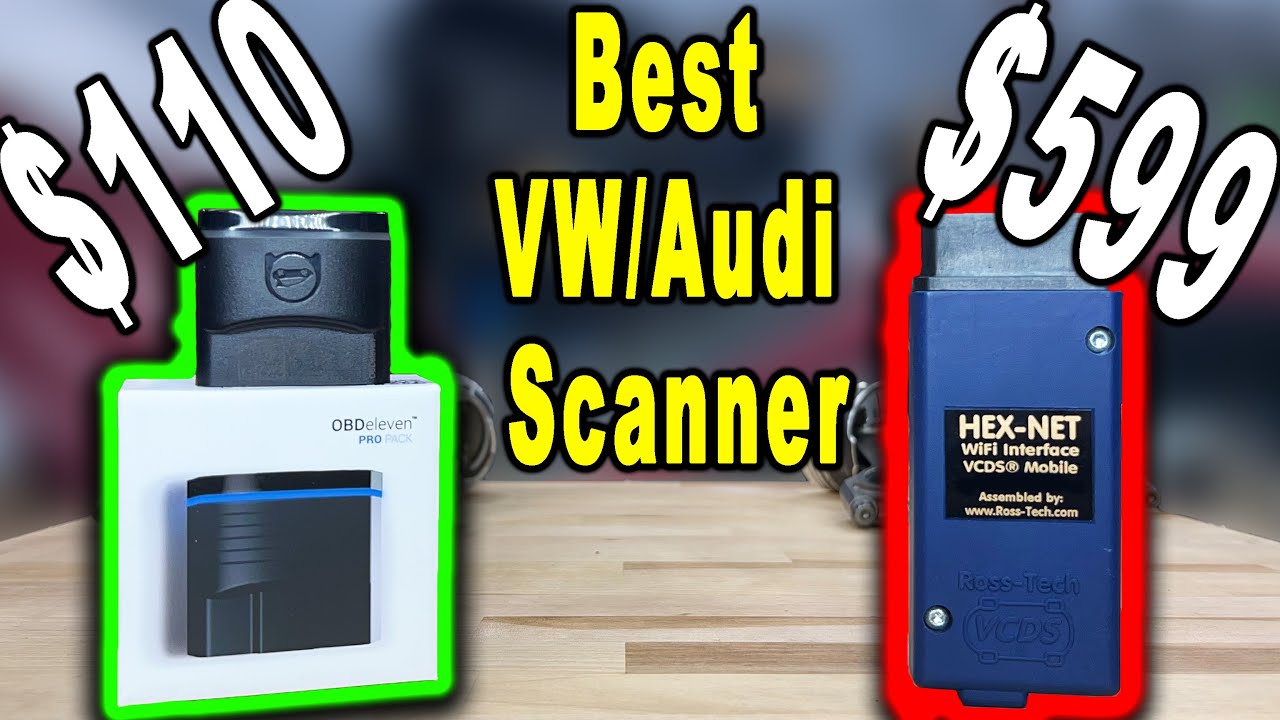
If you drive a Volkswagen, Audi, Skoda, or SEAT, there's a better way. VCDS and OBD11 (OBDeleven) are two powerful diagnostic tools that let you read codes, reset service lights, and even unlock hidden features—all from your driveway. But which one should you buy?
Spoiler alert: The answer isn't the same for everyone. A professional mechanic needs different tools than a weekend warrior. A casual user has different priorities than a hardcore enthusiast.
This isn't just another comparison article. We're going to show you exactly which tool fits your situation, break down the real costs (including hidden fees), and reveal which features actually matter in 2026. By the end, you'll know whether to spend $60 on OBD11 or $700 on VCDS—and why.
Quick Answer: OBD11 vs VCDS at a Glance
Need a quick decision? Here's the TL;DR:
| Factor | VCDS | OBD11 |
|---|---|---|
| Best For | Professionals, serious DIYers | Casual users, quick coding |
| Price | $199-$699 one-time | $60-$100 + $30-50/year |
| Ease of Use | Steep learning curve | Easy, mobile-friendly |
| Diagnostics | Professional-grade, comprehensive | Good for basics, limited advanced |
| Coding | Full control, all features | One-click apps, some limitations |
| Platform | Windows desktop | iOS/Android mobile |
| 5-Year Cost | $199-$1,194 | $210-$350 |
Quick Decision Tree:
- Professional mechanic? → VCDS (no question)
- Just want to reset service lights? → OBD11
- Serious enthusiast with multiple VWs? → VCDS
- Casual user, occasional coding? → OBD11
- Budget under $100? → OBD11
- Want the absolute best? → VCDS
Understanding the Tools: VCDS vs OBD11 Explained
What is VCDS? (The Professional's Choice)
VCDS (VAG-COM Diagnostic System, formerly just "VAG-COM") is the original diagnostic tool for Volkswagen Group vehicles. Developed by Ross-Tech, it's been the gold standard in VW/Audi shops for over 20 years.
Think of VCDS as the Swiss Army knife of VW diagnostics—it does everything, but you need to know how to use it.
Key Characteristics:
- Desktop software (Windows only—sorry Mac users)
- Dedicated interface cable required (not just any OBD adapter)
- One-time purchase ($199-$699 depending on model)
- Professional-grade diagnostics used by dealerships
- Full coding access to every module in your car
- Industry standard—if a shop works on VWs, they have VCDS
Real Talk: VCDS is powerful but intimidating. The interface looks like it's from 2005 (because it kind of is), and there's a learning curve. But once you master it, there's nothing you can't do.
What is OBD11? (The Modern Alternative)
OBD11 (OBDeleven) is the new kid on the block—a modern, mobile-first tool that brings VW coding to your smartphone. It's like VCDS got a smartphone makeover and decided to make things easier.
Think of OBD11 as the iPhone of diagnostic tools—beautiful, easy to use, but with some limitations.
Key Characteristics:
- Mobile app (iOS and Android—works on your phone!)
- Bluetooth OBD adapter (no cables, work from inside the car)
- Credit-based system (pay for what you use, or get unlimited with Pro)
- One-click coding apps (no technical knowledge needed)
- User-friendly interface that doesn't require a computer science degree
- Growing fast with new features added regularly
Real Talk: OBD11 is perfect if you just want to enable some features or reset service lights without becoming a VW coding expert. It's convenient, affordable, and gets the job done for 90% of users.

Feature Comparison: VCDS vs OBD11 Head-to-Head
Let's break down exactly what each tool can do—and where they fall short.
Diagnostics Capabilities: Which Tool Finds More Problems?
VCDS - The Diagnostic Powerhouse:
- [+] Full access to ALL modules (engine, transmission, ABS, airbags, everything)
- [+] Read and clear ALL fault codes (even dealer-only codes)
- [+] Live data streaming from every sensor in real-time
- [+] Advanced measuring values (professional-grade diagnostics)
- [+] Output tests (test components without driving)
- [+] Security access codes (unlock protected functions)
- [+] Complete module information (part numbers, software versions, etc.)
- [+] Professional logging (record data for analysis)
OBD11 - Good Enough for Most:
- [+] Reads standard OBD codes (P-codes, U-codes)
- [+] Some module-specific codes (depends on your car)
- [+] Basic live data (RPM, speed, temperature)
- [+] Module information (what's installed)
- [–] Limited advanced diagnostics (can't do everything VCDS can)
- [–] Some modules restricted (newer cars have more limitations)
- [–] Advanced features cost credits (pay-per-use model)
The Verdict: VCDS wins decisively for diagnostics. If you're diagnosing complex problems or working professionally, VCDS is essential. OBD11 is fine for basic code reading, but you'll hit limitations quickly.
Real-World Example: Your VW's ABS light is on. VCDS can test each wheel speed sensor individually, check the ABS pump, and diagnose the exact problem. OBD11 might tell you "ABS fault" but won't give you the detailed diagnostic data you need.
Coding and Adaptations
VCDS:
- [+] Full coding access to all modules
- [+] Direct hex coding (advanced users)
- [+] Long coding helper (guides you through options)
- [+] Adaptation channels (full access)
- [+] Security access for protected functions
- [+] Save and restore coding backups
- [+] Batch coding capabilities
OBD11:
- [+] One-click apps for common coding
- [+] Manual coding available
- [+] Adaptation channels
- [–] Some features require credits
- [–] Less granular control than VCDS
- [+] User-friendly interface
- [+] Community-created apps
Winner: Tie - VCDS offers more control; OBD11 offers more convenience.
User Interface and Ease of Use
VCDS:
- Desktop application (Windows only)
- Technical interface (can be intimidating)
- Requires some learning curve
- Powerful but complex
- Extensive documentation available
- Best for: Technical users, professionals
OBD11:
- Mobile app (iOS/Android)
- Modern, intuitive interface
- Easy for beginners
- One-click solutions for common tasks
- Less technical knowledge required
- Best for: Casual users, quick coding
Winner: OBD11 - Much more user-friendly, especially for beginners.
Platform and Connectivity
VCDS:
- Windows desktop software
- Requires dedicated interface cable
- USB or wireless interface options
- Must be near computer
- Professional interface hardware
- Stable, reliable connection
OBD11:
- Mobile app (iOS/Android)
- Bluetooth OBD adapter
- Work from inside vehicle
- Portable and convenient
- Requires smartphone/tablet
- Connection can be less stable than wired
Winner: OBD11 - More convenient and portable.
Cost Comparison: The Real Price Tag (Including Hidden Costs)
Let's talk money—because this is where many people get surprised.
VCDS Pricing Breakdown:
| Model | Price | VIN Limit | Best For |
|---|---|---|---|
| HEX-V2 | $199 | 3 VINs | Personal use, single car |
| HEX-NET | $449 | Unlimited | Multiple cars, enthusiasts |
| HEX-NET Pro | $699 | Unlimited | Professional shops |
Hidden Costs:
- Software updates: Free first year, then $99/year (optional but recommended)
- Additional VINs (HEX-V2): $99 per 10 VINs
- 5-Year Total: $199-$1,194 (depending on updates)
OBD11 Pricing Breakdown:
| Plan | Cost | What You Get |
|---|---|---|
| Adapter Only | $60-$100 | Basic features, pay-per-use credits |
| Pro Plan | $30-$50/year | Unlimited credits, no ads |
| Credits | $10/100 credits | Pay-as-you-go (1-10 credits per task) |
Hidden Costs:
- Pro plan required for serious use ($30-50/year)
- Credits add up if you code frequently
- Some advanced features cost extra
- 5-Year Total: $210-$350 (with Pro plan)
The Math:
- One-time coding session: OBD11 wins ($60-100 vs $199+)
- Regular use (monthly): VCDS wins after 2-3 years
- Professional use: VCDS is essential (pays for itself quickly)
- Casual user (few times/year): OBD11 is more economical
Pro Tip: If you're buying VCDS, the HEX-V2 at $199 is the sweet spot for most users. The 3 VIN limit is usually enough unless you're a shop or own multiple VWs.
Winner: It depends - OBD11 for occasional use, VCDS for regular/professional use. But here's the thing: if you're reading this article, you'll probably use it more than you think. Most people who buy OBD11 end up wishing they had VCDS's power.
VCDS Deep Dive
Interface Options:
-
HEX-V2 ($199):
- 3 VIN limit (can be increased)
- USB connection
- Good for personal use
- Most popular option
-
HEX-NET ($449):
- Unlimited VINs
- Wireless and USB
- Professional use
- More expensive
-
HEX-NET Pro ($699):
- Unlimited VINs
- Professional features
- Best for shops
- Highest tier
Software Features:
- Auto-scan (comprehensive system scan)
- Module-specific diagnostics
- Live data graphing
- Output tests
- Security access
- Coding and adaptations
- Service reset functions
- Advanced measuring values
Coding Examples:
- Enable/disable features
- Change behavior settings
- Modify lighting functions
- Adjust comfort features
- Performance tweaks (limited)
- Reset service intervals
OBD11 Deep Dive
Adapter Options:
-
NextGen Adapter ($60-$80):
- Bluetooth connectivity
- Works with iOS and Android
- Basic functionality
- Most popular
-
Pro Adapter ($100+):
- Enhanced features
- Better connectivity
- Professional use
App Features:
- One-click apps (pre-made coding solutions)
- Manual coding
- Diagnostics
- Live data
- Service resets
- Community features
- App marketplace
Credit System:
- Free Plan: Limited features, ads
- Credits: Pay for advanced features
- Pro Plan: Unlimited credits, no ads
- One-Click Apps: 1-10 credits each
- Manual Coding: Free (with adapter)
Popular One-Click Apps:
- Enable/disable features
- Lighting modifications
- Comfort features
- Performance displays
- Convenience functions
Use Case Scenarios
Scenario 1: Professional Mechanic
Best Choice: VCDS
Why:
- Full diagnostic capabilities
- Professional-grade features
- Industry standard
- Reliable and comprehensive
- Better for complex diagnostics
- One-time cost, long-term value
Use Cases:
- Diagnosing complex issues
- Module programming
- Advanced adaptations
- Professional service work
- Shop environment
Scenario 2: Enthusiast Owner
Best Choice: VCDS or OBD11
Considerations:
- VCDS if: You want full control, do your own work, value comprehensive diagnostics
- OBD11 if: You prefer convenience, occasional coding, mobile-first approach
Use Cases:
- Personal vehicle maintenance
- Custom coding and modifications
- Learning about your vehicle
- DIY diagnostics
Scenario 3: Casual User
Best Choice: OBD11
Why:
- Easier to use
- Lower initial cost
- Mobile convenience
- One-click solutions
- Less technical knowledge needed
Use Cases:
- Quick coding changes
- Basic diagnostics
- Service resets
- Simple modifications
Scenario 4: Multiple Vehicles
Best Choice: VCDS (HEX-NET or Pro)
Why:
- Unlimited VINs (higher tiers)
- Better value for multiple vehicles
- Professional capabilities
- One tool for all vehicles
Alternative:
- OBD11 works with multiple vehicles
- But credits add up with multiple uses
Common Tasks Comparison
Reading and Clearing Codes
VCDS:
- Full access to all modules
- Detailed code descriptions
- Freeze frame data
- Comprehensive logging
- Professional-grade information
OBD11:
- Reads standard OBD codes
- Some module-specific codes
- Basic descriptions
- Easy to use
- May miss some codes
Verdict: VCDS for comprehensive diagnostics, OBD11 for quick checks.
Service Light Reset
VCDS:
- Full service reset capabilities
- Oil change reset
- Inspection reset
- Brake pad reset
- All service functions
OBD11:
- Service reset apps available
- Easy one-click solutions
- Covers most common resets
- May have limitations on some models
Verdict: Both work well, OBD11 is easier for this task.
Coding Common Features
Examples:
- Enable/disable features
- Change lighting behavior
- Modify convenience functions
- Adjust display settings
VCDS:
- Full control over all options
- Can access hidden features
- More granular control
- Requires technical knowledge
OBD11:
- One-click apps for common tasks
- Easy to use
- May not have all options
- Community-created solutions
Verdict: OBD11 for ease, VCDS for completeness.
Advanced Diagnostics
VCDS:
- Full access to all modules
- Advanced measuring values
- Output tests
- Security access
- Professional diagnostics
OBD11:
- Basic diagnostics
- Limited advanced features
- Some modules restricted
- Credits required for advanced
Verdict: VCDS is essential for advanced diagnostics.
Learning Curve
VCDS Learning Curve
Beginner:
- Can be intimidating
- Technical interface
- Requires learning module structure
- Steep initial curve
- Extensive documentation helps
Intermediate:
- Comfortable with basic functions
- Understanding coding structure
- Can perform common tasks
- Still learning advanced features
Advanced:
- Full system knowledge
- Can code manually
- Understand adaptations
- Professional-level usage
Resources:
- Ross-Tech wiki (excellent)
- Community forums
- YouTube tutorials
- Extensive documentation
OBD11 Learning Curve
Beginner:
- Very easy to start
- Intuitive interface
- One-click solutions
- Minimal learning needed
- Great for quick tasks
Intermediate:
- Understanding manual coding
- Learning adaptation channels
- Exploring advanced features
- Using credits efficiently
Advanced:
- Manual coding capabilities
- Understanding system structure
- Creating custom solutions
- Still limited compared to VCDS
Resources:
- In-app guides
- Community forums
- YouTube tutorials
- Less comprehensive than VCDS
Compatibility and Vehicle Support
VCDS Compatibility
Supported Vehicles:
- All VW Group vehicles (VW, Audi, Skoda, SEAT)
- Wide range of model years
- Excellent coverage
- Regular updates for new models
- Professional-grade support
Limitations:
- Some newer models may have limited access (security)
- Certain functions may be restricted
- Updates needed for latest vehicles
OBD11 Compatibility
Supported Vehicles:
- VW Group vehicles
- Growing model support
- Regular app updates
- Good coverage for popular models
- Some limitations on newer vehicles
Limitations:
- May not support all models equally
- Some features model-specific
- Updates depend on app development
Real-World Examples: See Them in Action
Let's see how each tool handles common tasks you'll actually do.
Example 1: Enabling Scandinavian DRLs (Daytime Running Lights)
The Task: You want your VW's daytime running lights to stay on even when the headlights are on (Scandinavian style). This is a popular coding change.
With VCDS:
- Plug in the interface cable to your laptop and OBD port
- Fire up VCDS software (Windows desktop)
- Navigate to module 09 (Central Electrics)
- Click "Coding" → "Long Coding Helper"
- Scroll through the options (there are many)
- Find "Scandinavian DRLs" or similar option
- Enable it, save, and test
Time: ~5 minutes (longer if you're learning) Difficulty: Medium (need to know which module and option) Cost: Free (one-time purchase)
With OBD11:
- Plug in Bluetooth adapter to OBD port
- Open OBD11 app on your phone
- Search for "Scandinavian DRLs" one-click app
- Tap "Enable"
- Done!
Time: ~30 seconds Difficulty: Easy (literally one tap) Cost: 1-2 credits (or free with Pro plan)
Winner: OBD11 for speed and ease. But VCDS gives you more control and doesn't use credits.
Example 2: Diagnosing a Check Engine Light
The Task: Your check engine light came on. You need to know what's wrong.
With VCDS:
- Connect interface
- Run "Auto-Scan" (scans ALL modules)
- Review comprehensive report
- See detailed code descriptions
- Access freeze frame data (conditions when code set)
- View live data from relevant sensors
- Perform output tests if needed
Result: You get a complete diagnostic picture with professional-grade detail.
With OBD11:
- Connect adapter
- Open diagnostics section
- Scan for codes
- See basic code descriptions
- Clear codes if needed
Result: You get basic information, but may miss module-specific codes or detailed diagnostic data.
Winner: VCDS for comprehensive diagnostics. OBD11 is fine for basic code reading, but VCDS gives you the full picture.
Example 3: Resetting Oil Change Service Light
The Task: You changed your own oil and need to reset the service reminder.
With VCDS:
- Navigate to Instrument Cluster (module 17)
- Go to "Service Reset" or "Adaptation"
- Find oil change reset function
- Enter security code (if required)
- Reset and verify
Time: ~3-5 minutes Difficulty: Medium (need to know the module)
With OBD11:
- Find "Oil Service Reset" one-click app
- Tap to reset
- Done!
Time: ~30 seconds Difficulty: Easy
Winner: OBD11 for convenience. Both work, but OBD11 makes it stupidly easy.
Example 2: Reading Fault Codes
Task: Check for fault codes after warning light
VCDS:
- Connect interface
- Run Auto-Scan
- Review all modules
- Detailed code descriptions
- Freeze frame data available
OBD11:
- Connect adapter
- Open diagnostics
- Scan for codes
- Basic descriptions
- Clear codes if needed
Detail: VCDS more comprehensive, OBD11 faster
Example 3: Service Reset
Task: Reset oil change service indicator
VCDS:
- Navigate to Instrument Cluster
- Service Reset function
- Select oil change
- Reset with security code
- Verify reset
OBD11:
- Find "Oil Service Reset" app
- Tap to reset
- Done (uses credits)
Ease: OBD11 easier, VCDS more reliable
Making Your Decision: The Ultimate Buyer's Guide
Still can't decide? Let's make it crystal clear.
Choose VCDS If Any of These Apply:
You're a professional mechanic or shop owner
- This isn't optional—VCDS is the industry standard
- Your customers expect professional-grade diagnostics
- The investment pays for itself quickly
You're a serious DIY enthusiast
- You work on your VW regularly (monthly or more)
- You want to learn everything about your car
- You enjoy the technical side of things
- You're not intimidated by learning curves
You need comprehensive diagnostics
- You diagnose complex problems yourself
- You want access to ALL modules and codes
- You need professional-grade diagnostic data
- Basic code reading isn't enough
You work on multiple vehicles
- You own multiple VWs/Audis
- You help friends/family with their VWs
- The unlimited VIN models make sense financially
You value long-term investment
- You prefer one-time purchase over subscriptions
- You'll use it for years to come
- You want the best tool available
Choose OBD11 If Any of These Apply:
You're a casual user
- You just want to enable some features
- You code occasionally (few times per year)
- You're not doing complex diagnostics
- You prefer simplicity over power
Budget is a primary concern
- You can't afford $200+ upfront
- You want to try coding without major investment
- You're okay with ongoing costs if you use it
You value convenience
- You want to code from your phone
- You prefer mobile apps over desktop software
- You don't want to learn technical details
- You want one-click solutions
You're just getting started
- This is your first diagnostic tool
- You want to dip your toes in VW coding
- You can always upgrade to VCDS later
- You're not sure how much you'll use it
Consider Both If:
You're a serious enthusiast with money to spend
- Use OBD11 for quick, convenient coding
- Use VCDS for serious diagnostics and advanced coding
- Best of both worlds (convenience + power)
You run a shop but want mobile convenience
- VCDS for professional diagnostics
- OBD11 for quick service resets and simple coding
- Different tools for different situations
Pro Tip: Most people who buy both end up using VCDS 90% of the time. OBD11 is great, but if you have VCDS, you rarely need it. Only get both if you really value the mobile convenience.
2026 Updates and Trends
VCDS in 2026
Recent Developments:
- Continued software updates
- Support for latest VW models
- Enhanced security access features
- Improved user interface (still desktop)
- Stable, mature platform
Future:
- Continued model support
- Regular updates
- Professional focus maintained
OBD11 in 2026
Recent Developments:
- Growing feature set
- More one-click apps
- Improved app interface
- Better vehicle support
- Enhanced diagnostics
Future:
- Continued development
- More features added
- Growing community
- Improving professional capabilities
Cost-Benefit Analysis
VCDS Investment
Initial Cost: $199-$699 Annual Updates: $0-$99 (optional) 5-Year Cost: $199-$1,194
Value:
- Professional-grade tool
- One-time major investment
- Long-term value
- Comprehensive capabilities
OBD11 Investment
Initial Cost: $60-$100 Annual Cost: $30-$50 (Pro) or pay-per-use 5-Year Cost: $210-$350 (Pro) or variable
Value:
- Lower initial investment
- Ongoing costs
- Convenient and easy
- Good for casual use
Frequently Asked Questions (FAQ)
Is OBD11 as good as VCDS?
Short answer: For basic coding and simple diagnostics, yes. For professional diagnostics and advanced coding, no.
OBD11 is excellent for what it does—quick coding changes, service resets, and basic diagnostics. But VCDS offers deeper access, more comprehensive diagnostics, and professional-grade features that OBD11 simply can't match. Think of OBD11 as a great entry-level tool, while VCDS is the professional standard.
Can OBD11 do everything VCDS can do?
No. OBD11 can handle about 70-80% of what VCDS does, but it has limitations:
- Limited advanced diagnostics
- Some modules have restricted access
- Less granular coding control
- Advanced features require credits
- May not support all newer models equally
For most casual users, this is fine. But if you need professional-grade diagnostics or want to access every feature, VCDS is the only option.
Which is better for beginners: VCDS or OBD11?
OBD11 is much easier for beginners. The mobile app is intuitive, one-click coding apps make changes simple, and you don't need technical knowledge. VCDS has a steep learning curve and can be intimidating.
However, if you're serious about learning VW diagnostics and coding, VCDS is worth the learning curve. The Ross-Tech wiki and community forums are excellent resources.
Can I use VCDS on Mac or Linux?
Not natively. VCDS is Windows-only software. However, you can:
- Run Windows in a virtual machine (VMware, Parallels, VirtualBox)
- Use Boot Camp on Mac (dual boot Windows)
- Use a Windows laptop/tablet
OBD11 works on iOS and Android, so Mac/Linux users can use it on their phones without any workarounds.
Do I need the Pro version of OBD11?
It depends on how much you'll use it. The free version is very limited (ads, pay-per-use credits). If you plan to code more than a few times, the Pro plan ($30-50/year) is worth it for unlimited credits and no ads.
For serious use, Pro is almost essential. The credit costs add up quickly otherwise.
Can VCDS work wirelessly?
Yes, with the HEX-NET model ($449+). The HEX-V2 ($199) is USB-only. The HEX-NET supports both USB and wireless connections, making it more convenient but also more expensive.
OBD11 is always wireless (Bluetooth), which is one of its main advantages.
Will OBD11 work on my 2024/2025 VW?
Usually, but with limitations. OBD11's support for newer models depends on app updates. Some newer VWs have more security restrictions that limit what OBD11 can access. VCDS typically has better support for the latest models, though even it faces some restrictions on very new vehicles.
Can I reset my service light with OBD11?
Yes! This is one of OBD11's strengths. Service light resets are easy one-click apps. VCDS can also do this, but OBD11 makes it simpler for casual users.
Is VCDS worth $700?
For professionals: Absolutely. A single diagnostic session can cost $150+ at a dealership. If you're a mechanic or work on VWs regularly, VCDS pays for itself quickly.
For casual users: Probably not. The $199 HEX-V2 is usually enough. Only get the $699 Pro if you're running a shop or need unlimited VINs for multiple vehicles.
Can I code my VW without either tool?
Not really. Generic OBD scanners can read basic codes but can't code VW-specific features. You need either VCDS or OBD11 (or similar VAG-specific tools) to access coding functions.
Final Verdict: Which Should You Buy in 2026?
Here's the honest truth: Both tools are excellent, but they serve different masters.
Choose VCDS If You're:
- A professional mechanic or shop owner
- A serious DIY enthusiast who works on VWs regularly
- Someone who wants the absolute best tool available
- Comfortable with technical interfaces and learning curves
- Planning to use it long-term (better value over time)
- Working on multiple vehicles or complex diagnostics
Bottom line: VCDS is the professional standard for a reason. If you're serious about VW diagnostics and coding, there's no substitute.
Choose OBD11 If You're:
- A casual user who just wants to enable some features
- Someone who values convenience and ease of use
- On a tight budget (under $100 initial investment)
- Only coding occasionally (few times per year)
- Prefer mobile apps over desktop software
- Want quick solutions without learning technical details
Bottom line: OBD11 is perfect for 90% of casual users. It's affordable, easy to use, and gets the job done for most common tasks.
The Reality Check
Here's what most people don't tell you: If you're reading this article, you're probably going to use your diagnostic tool more than you think.
Most people start with OBD11 thinking "I'll just reset my service light and enable a few features." Then they discover the world of VW coding, start doing more modifications, and wish they had VCDS's power.
Our recommendation: If you're on the fence and can afford it, go with VCDS. The learning curve is worth it, and you'll never outgrow it. If budget is tight or you're truly just doing basic tasks, OBD11 is a solid choice.
What's Next?
Both tools continue to evolve in 2026:
- VCDS maintains its professional edge with regular updates and new model support
- OBD11 keeps adding features and improving its app, closing the gap with VCDS
The gap between them is narrowing, but VCDS still holds the crown for professional use.
Ready to make your choice? Check out the Ross-Tech website for VCDS or the OBDeleven website for OBD11. Both have active communities where you can ask questions and learn from other users.
For specific coding guides, troubleshooting help, and community support, visit the Ross-Tech forums for VCDS and the OBD11 community forums for OBDeleven tips and tricks.


