
Reverse Proxy with Traefik: Secure, Smart Routing for Your Homelab

On this page(6 sections)
As your homelab grows, you’ll quickly accumulate multiple web interfaces: dashboards, apps, media servers, and admin panels. Exposing each one on a different port becomes messy and hard to remember. A reverse proxy solves this by letting you access everything through clean hostnames over HTTPS. Traefik is a modern reverse proxy that integrates deeply with Docker and automates much of the routing and certificate management for you.
This guide explains how to use Traefik as a reverse proxy in your homelab, giving your self‑hosted services tidy URLs and automatic TLS certificates.
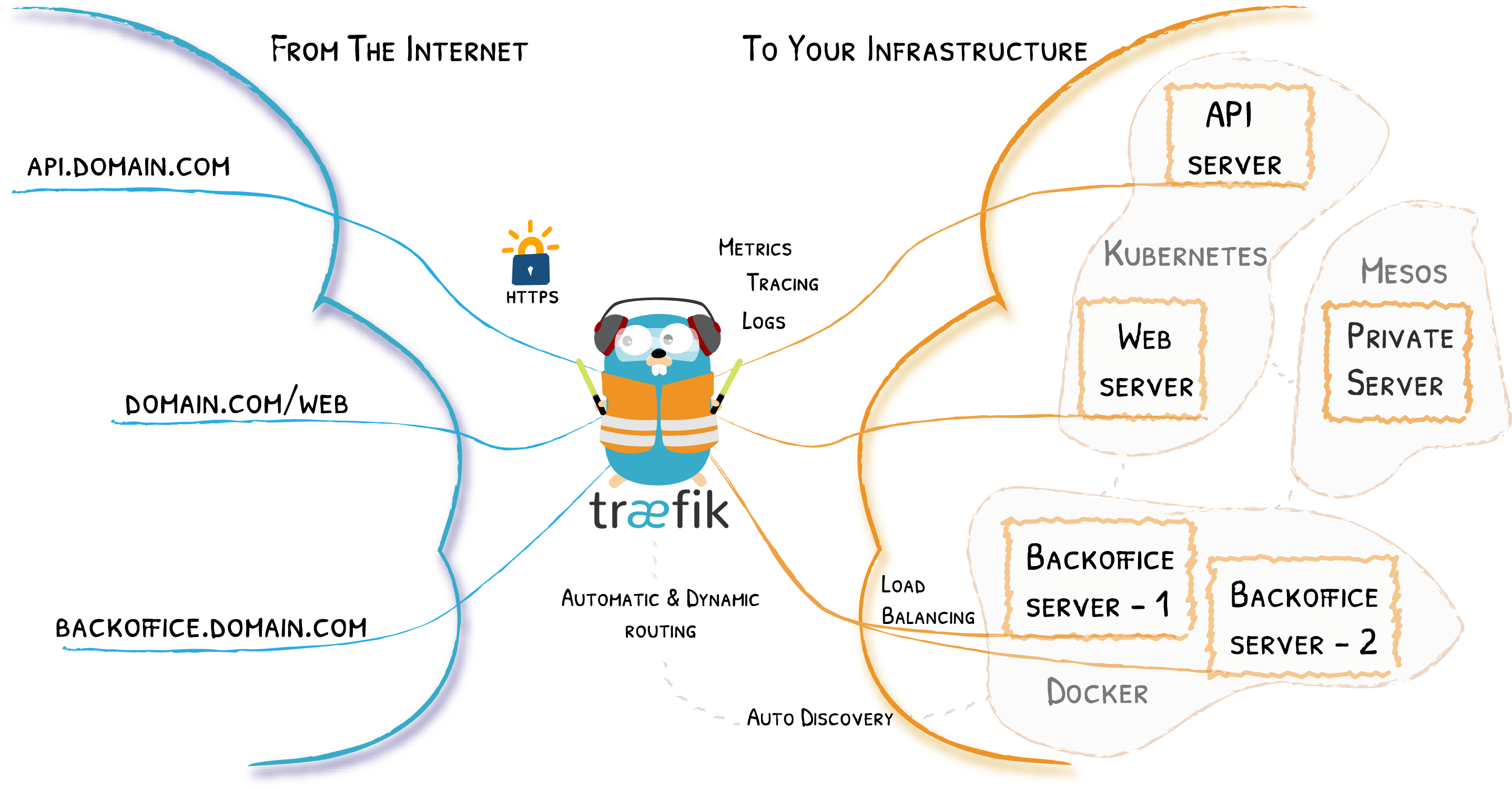
What a Reverse Proxy Does in a Homelab
A reverse proxy:
- Listens on standard web ports (80 and 443).
- Routes incoming requests to internal services based on hostname or path.
- Terminates HTTPS and can handle TLS certificates.
Instead of remembering http://192.168.1.50:8096, you can visit:
https://media.yourdomain.comhttps://monitor.yourdomain.comhttps://nas.yourdomain.com
Traefik excels at this kind of dynamic routing in containerised environments.
Why Use Traefik Instead of Traditional Proxies?
Traditional proxies like Nginx or Apache are powerful but often require manual config files.
Traefik is:
- Container‑native and integrates with Docker labels.
- Capable of automatic Let’s Encrypt certificate issuance and renewal.
- Able to dynamically adjust routes as containers start, stop, or move.
For a homelab where services come and go, this reduces maintenance and config drift.

Basic Architecture with Docker and Traefik
At a high level:
- Traefik runs as a Docker container on your homelab host.
- Other services (apps, dashboards, media servers) also run as containers.
- Traefik watches Docker for containers with specific labels and automatically creates routes.
You’ll typically:
- Create a Docker network (e.g.,
traefik_proxy) shared between Traefik and your services. - Label each service container with hostnames and routing rules.
Domain Names, DNS, and Access
To access Traefik‑routed services from outside your LAN:
- Register a domain or use a subdomain.
- Configure DNS records to point to your home’s public IP or a DDNS hostname.
- Forward ports 80 and 443 from your router to the Traefik container host.
For internal‑only setups, you can use local DNS overrides or hosts file entries instead of public DNS.
Traefik Features That Shine in Homelabs
- Let’s Encrypt integration for automatic TLS certificates.
- Middleware for:
- HTTP → HTTPS redirects.
- Basic authentication on sensitive endpoints.
- Rate limiting and header manipulation.
- Built‑in dashboard (which you can protect behind auth).
For security‑conscious homelab admins, Traefik becomes a central control point for web access into the environment.
Reverse Proxy with Traefik Checklist
- Set up a Docker host in your homelab (or use an existing one).
- Create a shared Docker network for Traefik and your services.
- Run the Traefik container with access to Docker and configured entrypoints.
- Configure DNS and router port forwarding for external access if needed.
- Add Docker labels to your app containers defining hostnames and routes.
- Enable Let’s Encrypt and test HTTPS access to your services.
With Traefik orchestrating routes and certificates, your homelab services become far easier to access, secure, and manage—no more juggling random ports or manually renewing TLS every few months.