Understanding OBD-II Diagnostics: Read Your Car’s Mind

On this page(9 sections)
The moment a check engine light appears on your dashboard, it’s easy to feel helpless. Many drivers assume the only option is to visit a workshop, hand over the keys, and wait for a vague explanation and an uncomfortable invoice.
But thanks to the standardised OBD-II system found in virtually all modern cars, you can read your own fault codes, monitor sensor data, and often diagnose simple issues at home. With a basic understanding of how OBD-II works and a small, affordable scanner, you can turn that mysterious warning light into actionable information.

What Is OBD-II?
On-Board Diagnostics II (OBD-II) is a standardised system that monitors a vehicle’s engine, emissions, and related systems. Introduced in the late 1990s, it:
- Uses a common 16‑pin diagnostic port.
- Stores fault codes called DTCs (Diagnostic Trouble Codes).
- Allows a scanner to read data from sensors and control modules.
If your car was built in the last 20+ years, it almost certainly supports OBD-II. That includes Australian-delivered models, Japanese imports, and most European vehicles.
The Tools: Choosing an OBD-II Scanner
There are three main types of scanners:
1. Basic Code Readers
- Handheld units with a small screen.
- Can read and clear generic codes and some live data.
- Affordable and simple, ideal for beginners.
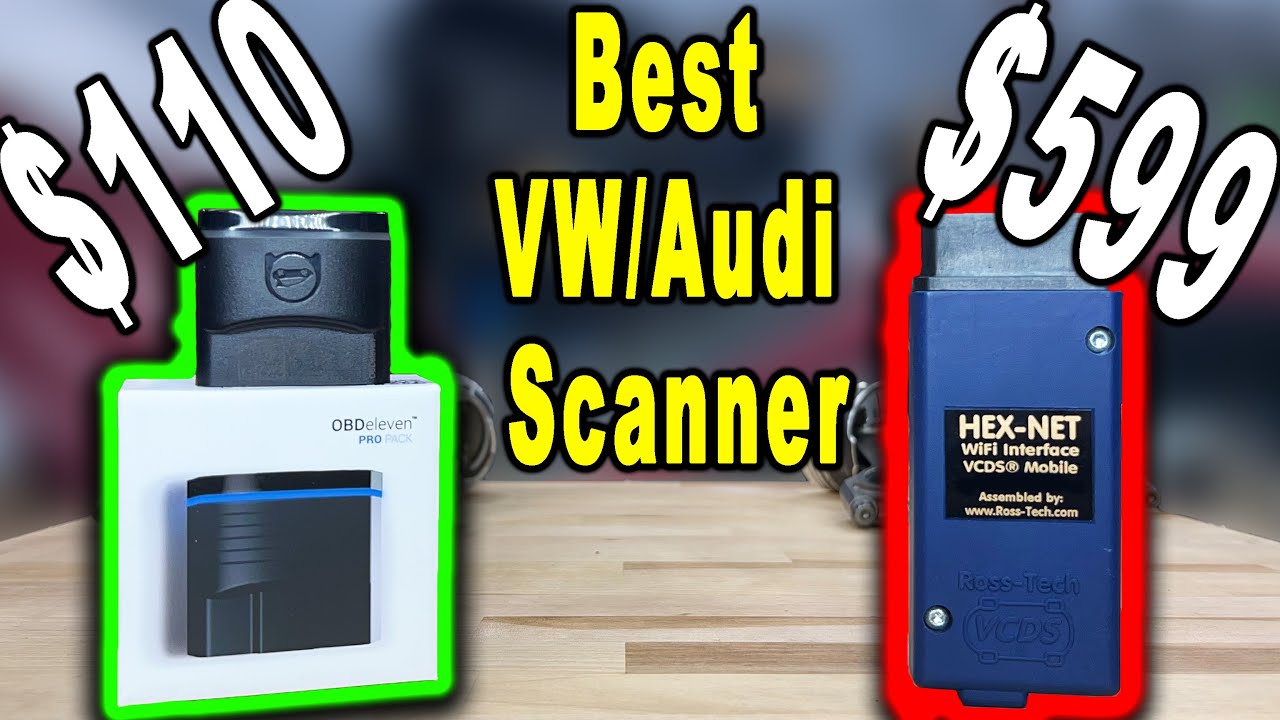
2. Bluetooth/Wi-Fi Dongles
- Plug into the OBD-II port and connect to your smartphone.
- Work with apps like Torque, Car Scanner, or manufacturer-specific tools.
- Great for logging and monitoring live data while driving.
3. Professional-Grade Scanners
- Larger, more expensive units used by workshops.
- Access manufacturer-specific modules (ABS, airbags, body control, etc.).
- Overkill for casual hobbyists but powerful if you work on many cars.
For most DIY enthusiasts, a quality Bluetooth dongle paired with a good app is the best balance of cost and capability.

Finding and Connecting to the OBD-II Port
The OBD-II port is usually located:
- Under the dashboard near the steering column.
- In the driver’s footwell area.
- Occasionally behind a small plastic cover or trim panel.
Once you find it:
- Turn the ignition to ON (engine off or running as required by your scanner).
- Plug in your scanner or dongle.
- Pair your phone or power up the handheld unit.
- Open your scanning app and select your vehicle profile.
Within seconds, you’ll be able to see stored trouble codes and, in many cases, live sensor data.
Understanding Diagnostic Trouble Codes (DTCs)
DTCs are usually formatted like this: P0301 or P0420. Each character or digit has meaning:
- First letter: System
P= PowertrainB= BodyC= ChassisU= Network/Communication
- First digit:
0= Generic (same across manufacturers)1= Manufacturer-specific
- Remaining digits: Specific fault description
For example:
P0301– Cylinder 1 misfire detected.P0171– System too lean (Bank 1).P0420– Catalyst system efficiency below threshold.
Your scanner or app will usually display a plain‑English description alongside the code, and you can always look up more detailed explanations online or in workshop manuals.
What You Can (and Can’t) Learn from Codes Alone
It’s important to understand that a DTC points to a symptom, not always the root cause.
P0301tells you there’s a misfire in cylinder 1—but not whether it’s due to a spark plug, coil, injector, compression, or wiring.P0171indicates a lean condition—but that could be from a vacuum leak, MAF sensor issue, fuel pressure problem, or exhaust leak.
Codes are the starting point for diagnosis, not the final answer. Think of them as clues directing your investigation.
Using Live Data to Go Deeper
One of the biggest advantages of OBD-II is the ability to view live data from various sensors while the engine is running.
Commonly useful parameters include:
- Engine coolant temperature
- Intake air temperature
- Short-term and long-term fuel trims
- Oxygen sensor readings
- Mass Air Flow (MAF) or Manifold Absolute Pressure (MAP)
- Throttle position and RPM
By watching how these values change, you can spot inconsistencies or trends. For example:
- High positive fuel trims may confirm a vacuum leak or fuel delivery issue.
- An O2 sensor that stays flat may be dead or starved of exhaust gas.
This is where hobbyist diagnostics begins to feel like detective work—in a good way.
A Simple Workflow for DIY Diagnostics
When that dreaded check engine light appears, follow a calm, structured process:
- Scan and record all codes. Take a photo or write them down.
- Check for obvious symptoms. Rough idle, poor power, strange noises, or smells.
- Research the codes. Look up common causes for your specific engine and model.
- Inspect basics first. Loose hoses, cracked intake pipes, disconnected sensors, low fluids.
- Use live data to confirm or challenge your initial theories.
- Only then consider replacing parts—starting with the cheapest and most common culprits.
Avoid the trap of throwing random parts at a problem. The goal is to test, confirm, then replace.
Clearing Codes: When and How
Most scanners have a “Clear Codes” function. Use it wisely:
- After you’ve repaired an issue, clear the codes and drive.
- See if the fault returns under similar conditions.
- Don’t just clear codes to hide problems before a sale or inspection—that’s unethical and can be unsafe.
In some regions (including parts of Australia), emissions-related codes may cause a vehicle to fail roadworthy or inspection tests, so genuine repair is always the best path.
When to Leave It to a Professional
OBD-II scanners dramatically increase what you can do at home, but they don’t replace experienced technicians for complex issues. Consider visiting a workshop when:
- Multiple related codes appear and you’re unsure where to start.
- There are symptoms like severe loss of power, overheating, or loud mechanical noises.
- You suspect internal engine problems, advanced electrical faults, or safety system issues (ABS, airbags).
Used wisely, an OBD-II scanner is not just a gadget—it’s a powerful learning tool that puts you in the driver’s seat of your car’s diagnostics. You’ll communicate better with mechanics, make smarter repair decisions, and feel far less intimidated the next time a warning light pops up.