Getting Started with Oscilloscopes: Essential Tool for Electronics Hobbyists
On this page(8 sections)
If you’re serious about DIY electronics, there comes a point where a basic multimeter just isn’t enough. That’s where an oscilloscope becomes one of the most powerful tools on your bench. It lets you see voltage changing over time, spot glitches, verify clock signals, and debug weird behaviour in microcontroller projects.
Oscilloscopes can look intimidating, but once you understand the core controls and concepts, they become surprisingly approachable—and incredibly fun to use.

What an Oscilloscope Actually Does
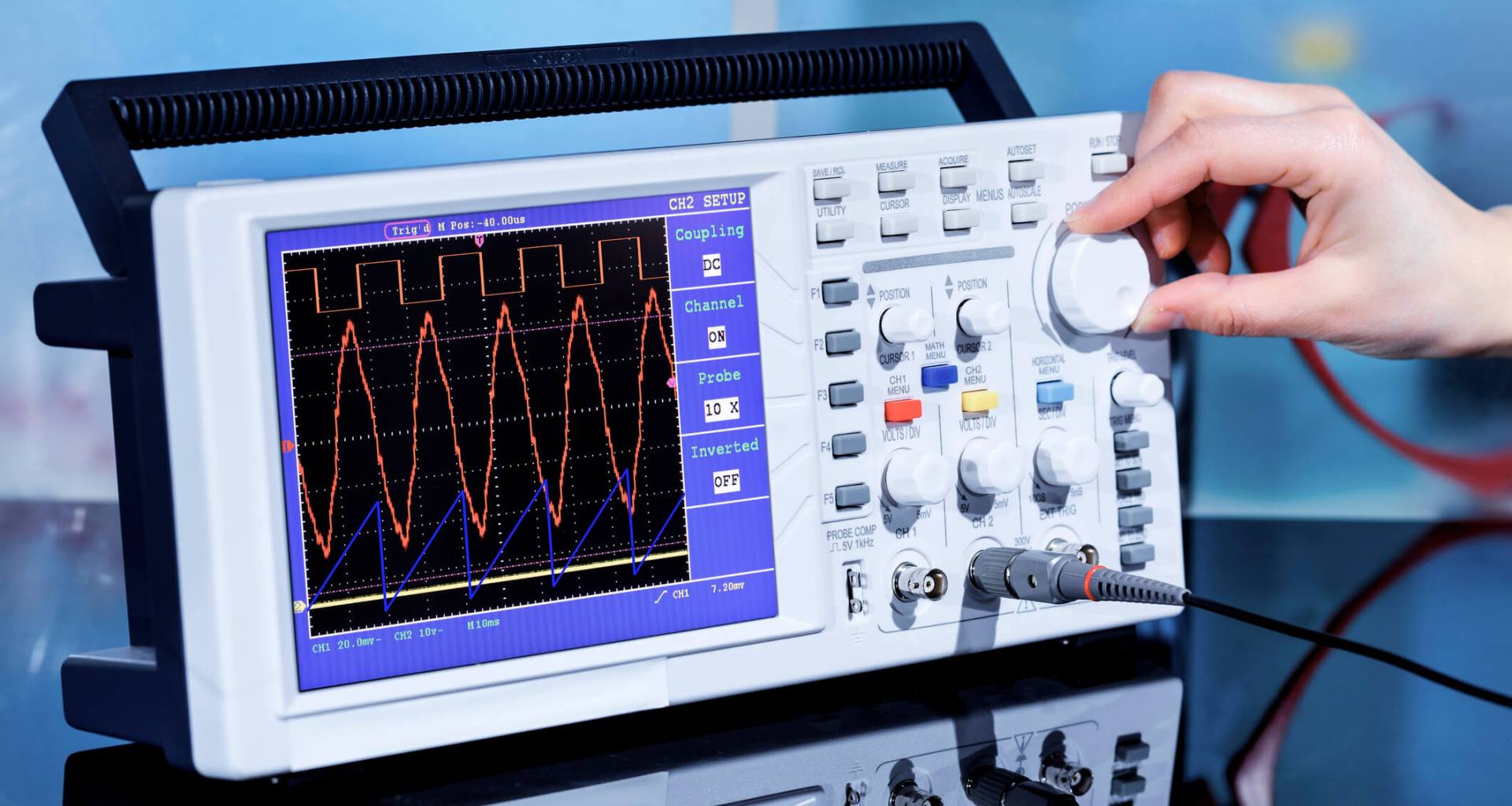
At a basic level, an oscilloscope:
- Measures voltage on one or more channels.
- Plots that voltage against time on a screen.
- Lets you adjust the time scale and voltage scale for detailed inspection.
Instead of seeing a single number like “5.02 V” on a multimeter, you see the full waveform—square waves, sine waves, noise, transients, and all.
Choosing an Oscilloscope for Hobby Use
For most home labs, a mid‑range digital storage oscilloscope (DSO) is ideal.
Key specs to consider:
- Bandwidth: For microcontroller and audio work, 50–100 MHz is often plenty.
- Sample Rate: Higher rates (e.g., 1 GSa/s) give more detail at fast timebases.
- Channel Count: Two channels is fine to start; four is nice to have.
- Memory Depth: More memory allows you to capture longer windows at high resolution.
Don’t get paralysed by spec sheets—any reputable 50–100 MHz DSO is a huge step up from no scope at all.

Basic Controls You Need to Learn First
Most scopes share similar front‑panel controls. Focus on:
- Vertical (Volts/Div): Adjusts the voltage scale for each channel.
- Horizontal (Time/Div): Sets how much time each horizontal division represents.
- Trigger: Tells the scope when to start drawing the waveform.
To get a stable display:
- Connect your probe to a known signal (like the scope’s built‑in calibration square wave).
- Adjust Volts/Div until the waveform is a good size on screen.
- Adjust Time/Div so several cycles fit horizontally.
- Set the trigger source to the correct channel and adjust the trigger level to stabilise the waveform.
Once you can consistently get a stable square wave, you’re over the hardest initial hurdle.
Proper Probe Use and Safety
Your oscilloscope probes are as important as the scope itself.
- Always connect the ground clip to a suitable reference point.
- Be aware that most bench scopes have earth‑referenced grounds—never clip to a point with dangerous potential relative to earth.
- Keep the ground lead short to reduce noise and ringing on fast signals.
Many probes include a 1x/10x switch:
- Use 10x mode for higher‑voltage or faster signals; it reduces loading on the circuit.
- Make sure the scope channel is set to match the probe attenuation.
Simple Oscilloscope Experiments for Beginners
To build confidence, start with simple, safe circuits:
- View a PWM output from an Arduino driving an LED (at low voltage).
- Observe a sine wave from a function generator or audio source.
- Compare noisy vs filtered signals before and after a capacitor.
Each experiment teaches you how changes in the real world show up on screen—and how to interpret those shapes.
Using an Oscilloscope for Troubleshooting
Oscilloscopes are fantastic for tracking down problems that a multimeter misses:
- Verify that a clock signal on a microcontroller is present and stable.
- Check power rails for ripple or noise that could cause instability.
- Detect glitches or brief dropouts on data lines.
Being able to say “the 5V rail dips to 3.8V when this motor starts” is far more actionable than “sometimes it resets when I turn it on.”
Capturing and Saving Waveforms
Digital scopes often let you:
- Capture a single event with a single‑shot trigger.
- Save screenshots to USB for documentation.
- Export waveform data for analysis in software tools.
This is invaluable for learning and for sharing your findings with the electronics community when you need help troubleshooting.
Getting Started with Oscilloscopes Checklist
- Choose a beginner‑friendly DSO in the 50–100 MHz range.
- Learn the basics: Volts/Div, Time/Div, and Trigger.
- Practice on the built‑in calibration signal until you can get a stable waveform.
- Experiment with simple circuits—PWM, audio, or filtered signals.
- Use the scope for real troubleshooting in your projects as often as possible.
Once you’ve integrated an oscilloscope into your workflow, you’ll wonder how you ever debugged circuits without one—it turns invisible electrical behaviour into something you can see, reason about, and ultimately fix.