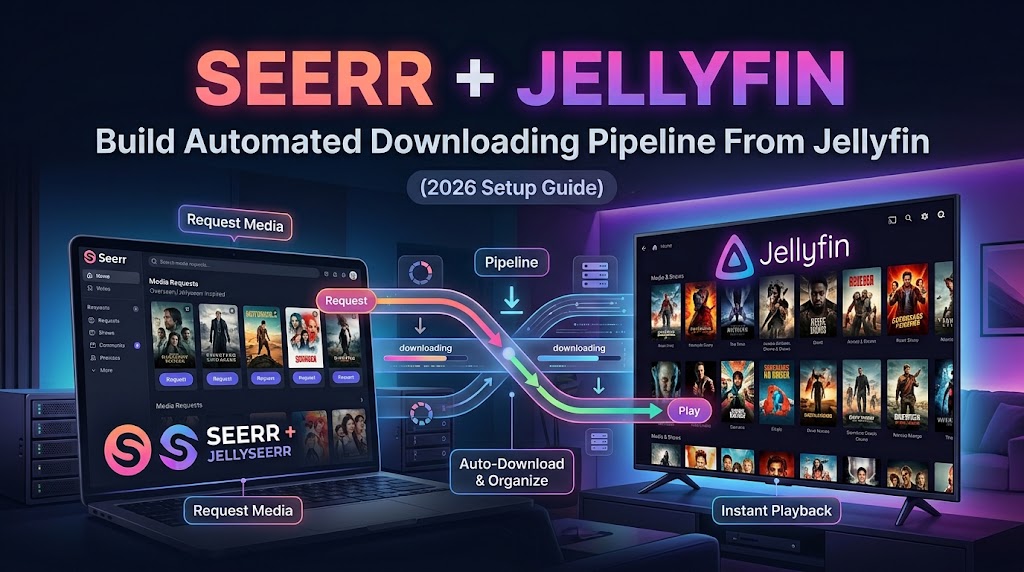
The Ultimate 2026 Media Stack: Complete Jellyfin + Arrs Migration Guide

On this page(16 sections)
Tired of Paying for Streaming? Build Your Own with Jellyfin
You're done with it. Another streaming service subscription. Another platform locking features behind paywalls. Another algorithm deciding what you should watch.
Here's the truth: For less than the cost of a single month of Plex Pass, you can build a media empire that never expires, never ads you, and never tracks you. A system that automatically finds, downloads, and organizes movies and TV shows the moment they become available.
This is 2026. You shouldn't have to choose between Plex's premium nonsense, subscription fatigue, or cable TV reruns. Jellyfin and the Arr suite have matured into a powerhouse that leaves commercial streaming in the dust—and it's completely free, open-source, and private.
If you're using Plex and haven't looked back in a year or two, prepare to be shocked. The landscape has changed dramatically.
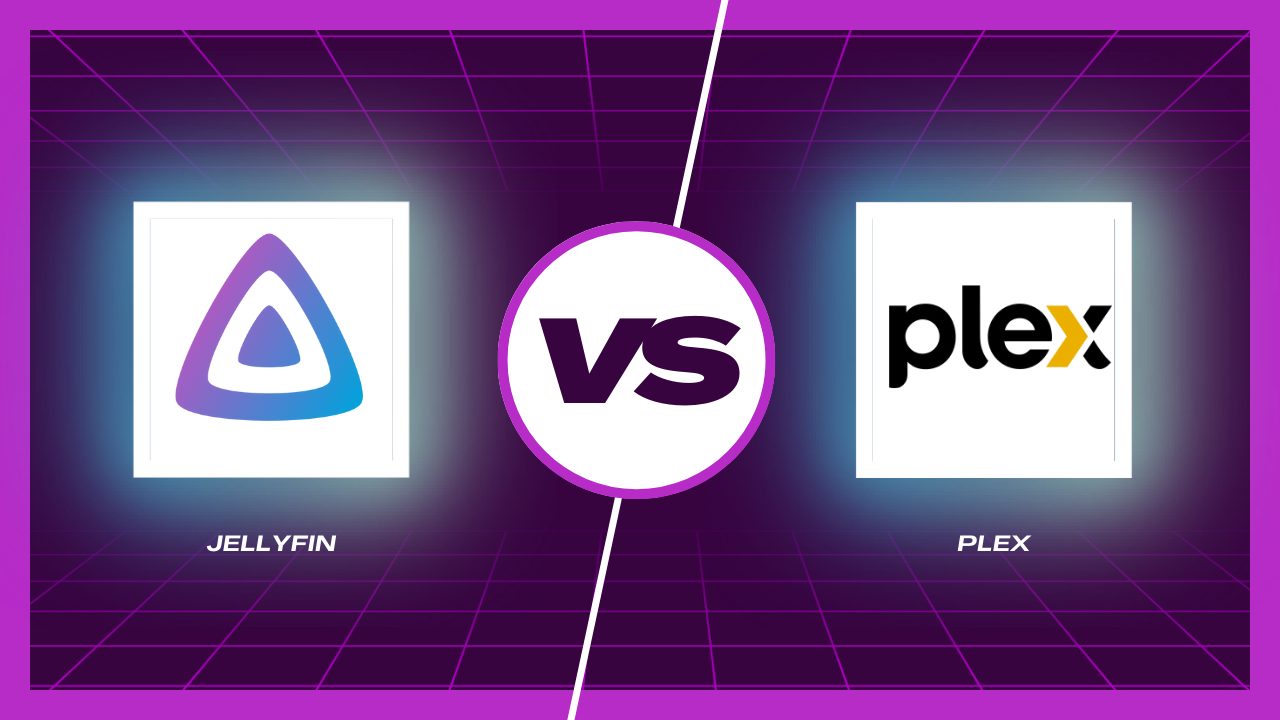
Why Jellyfin + Arrs Beats Plex in 2026
The Plex Reality Check (Spoiler: It's Rough)
Remember when Plex was the indie hero against Netflix? Those days are gone.
The Monetization Spiral: Plex quietly moved features behind a $5.99/month Plex Pass subscription. Premium members get hardware transcoding, exclusive codecs, and priority support. Meanwhile, free users? You get the basics with increasingly aggressive ads and "Plex Watch Free"—their ad-supported content platform that clutters your library with garbage you didn't add.
Privacy Red Flags: Every time you use Plex, your device checks in with Plex's servers. Your viewing habits are tracked. Your metadata syncs to the cloud. If Plex gets hacked (remember when they did?), your encrypted password is at risk. Want remote access? It routes through Plex's infrastructure—they can see your traffic.
The Vendor Trap: Your library metadata, artwork, and custom collections live in Plex's proprietary database. Try switching? Good luck. You're stuck building everything from scratch elsewhere. That's intentional.
Why Jellyfin Is the Game-Changer

Genuinely Free (And It Means It): Jellyfin costs exactly $0. Forever. No gimmicks, no ads, no premium tiers hidden behind paywalls. Every feature—hardware transcoding, advanced metadata, plugins, remote access—available to everyone equally. The project survives on donations and volunteer development.
Privacy Is the Default: No cloud accounts required. Your server runs on your hardware, communicates with no one, and stores all metadata locally. Remote access? Use a reverse proxy (Nginx, Traefik) that you control. Your viewing data never leaves your home network unless you specifically configure it.
Complete Customization: Open-source code means you can modify anything. Want a custom theme? Build it. Need specific behavior? Fork the code. The community has created plugins for everything—Trakt integration, LDAP authentication, music metadata enhancement, automatic organization. Jellyfin doesn't limit your vision.
Seamless Homelab Integration: Unlike Plex's walled garden, Jellyfin plays nicely with other self-hosted tools. It uses standard APIs, Docker containers run flawlessly, and it handles networking like a pro. Combine it with Radarr, Sonarr, and Prowlarr, and you have a system that's greater than the sum of its parts.
The Perfect Media Stack: How It All Works Together
Jellyfin alone is great. But pair it with Radarr, Sonarr, and Prowlarr? You've built something that makes Netflix's recommendation algorithm look like a TI-83 calculator.
What Each Component Does
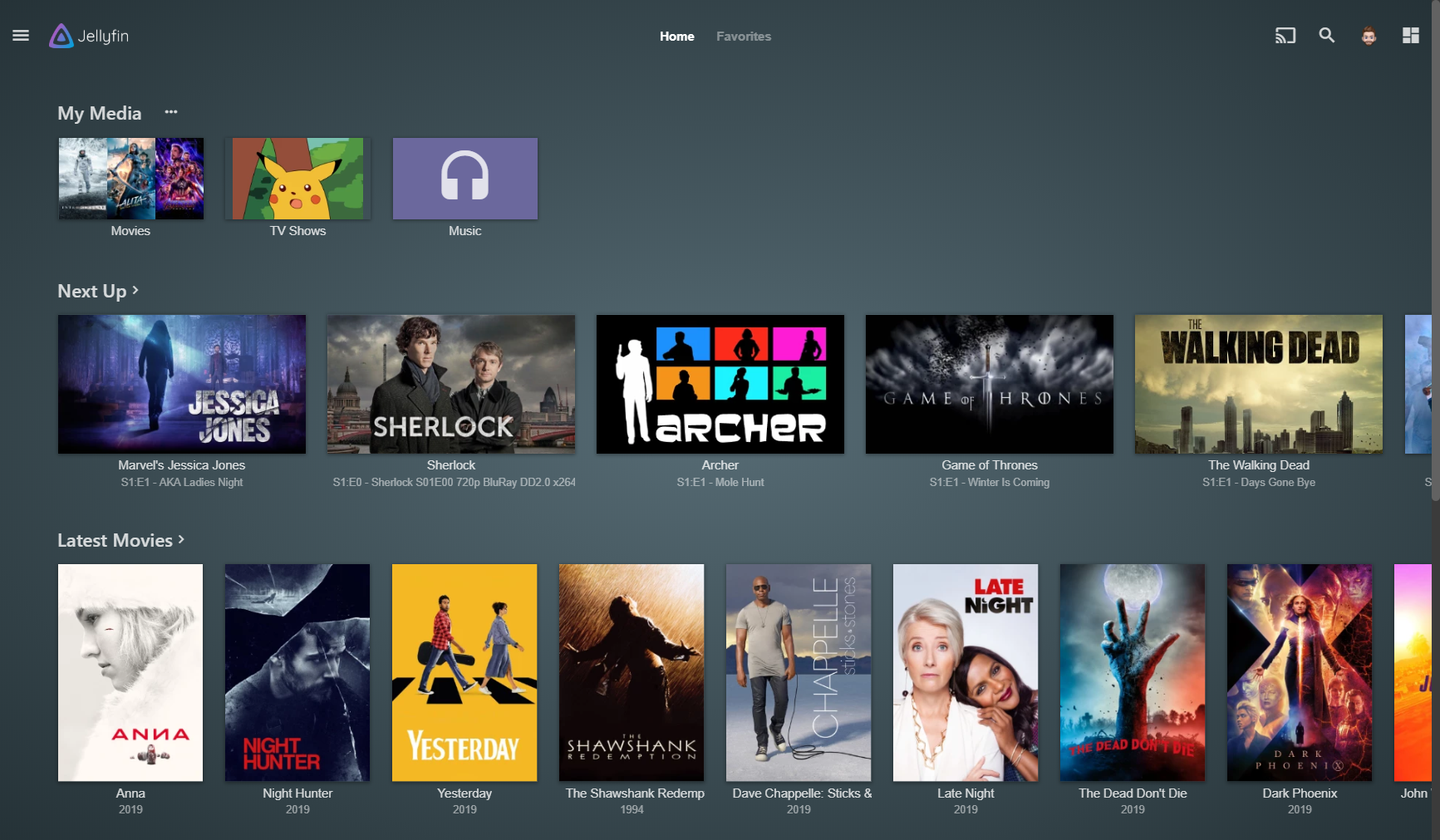
Jellyfin - Your Personal Netflix (But Better)
- Streams media to all your devices (TV, phone, tablets, browsers)
- Automatically transcodes video for different clients and internet speeds
- Manages user accounts with granular library access controls
- Handles metadata, artwork, and that satisfying search-and-play experience
Radarr - Your Movie Hunter
- You add a movie to your watchlist. Radarr monitors the internet 24/7 for new releases, re-encodes, quality upgrades.
- Automatically downloads it when the best quality version appears
- Renames and organizes the file perfectly
- Notifies Jellyfin, and boom—it's in your library instantly
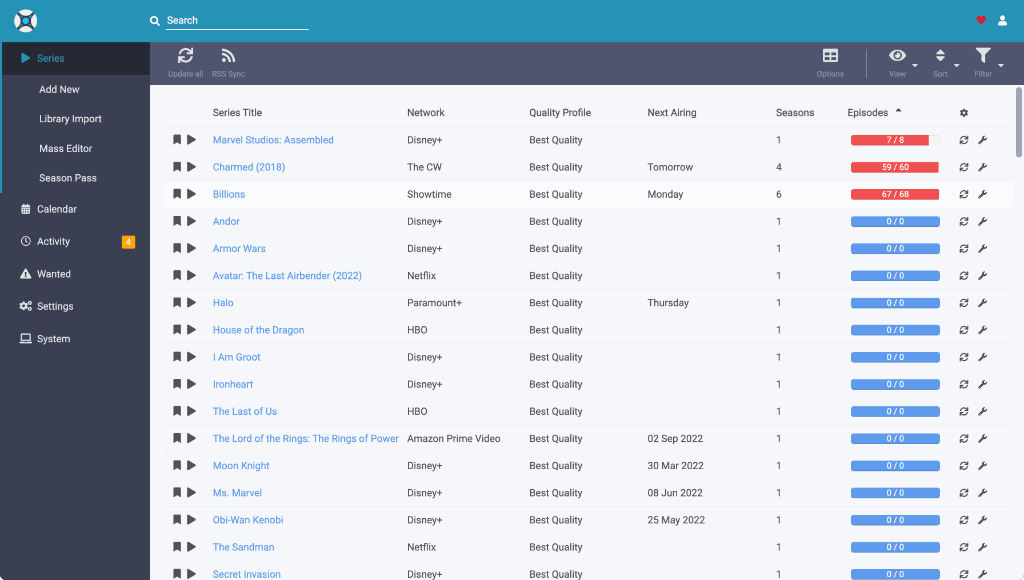
Sonarr - Your TV Show Obsession Automator
- Same thing but for TV shows. Every single episode.
- Monitors release patterns (does your show usually drop Mondays?)
- Downloads the episode, renames it with proper season/episode numbering
- Handles season packs and episode upgrades
- Works even if a show goes on hiatus and returns—it remembers
Prowlarr - The Index Manager You've Always Needed
- Instead of configuring the same 50 movie databases in Radarr AND Sonarr, you do it once in Prowlarr
- Centralized management for all your torrent and Usenet indexers
- Tests connections, manages API keys, handles blacklists
- Radarr and Sonarr connect to Prowlarr (not directly to indexers)
- Add a new indexer? Boom. Both apps instantly have access.
qBittorrent / Transmission - Download Orchestrator
- Actually downloads the files when Radarr/Sonarr send jobs
- Seedbox-friendly (can run on separate server)
- Integrates with Arr apps for automatic importing and cleanup
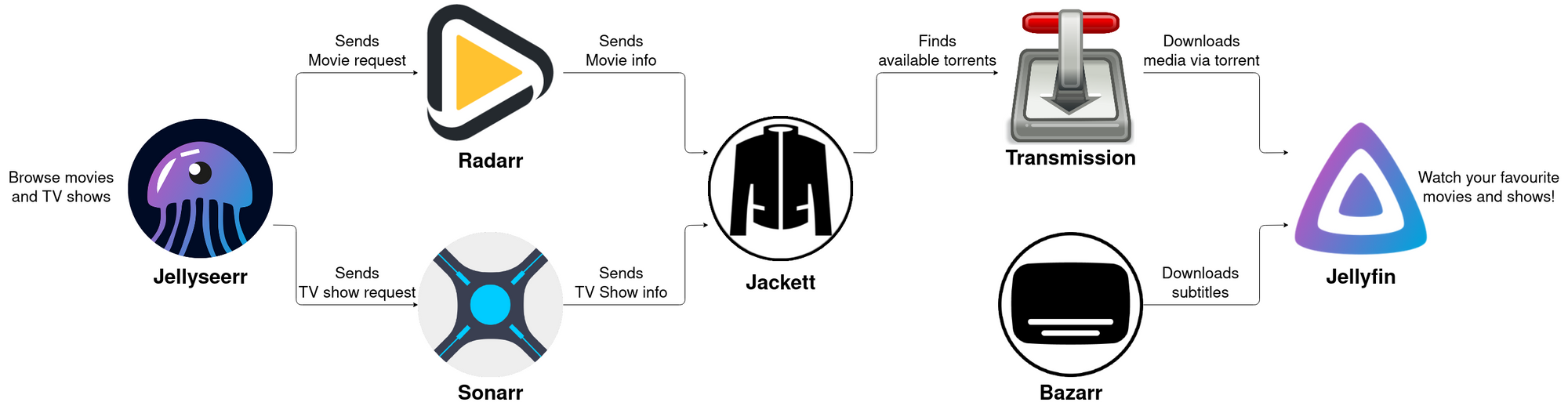
The Magic Workflow
- You browse a movie. "Oh, new Christopher Nolan? Want it."
- Radarr monitors it. Checks 50+ sources every hour
- Release drops. Download starts automatically—best quality available
- File organizes. Radarr renames to
/movies/Movie Title (Year)/Movie Title (Year).mkv - Jellyfin knows. Scans folder, grabs metadata, pulls artwork
- You watch. Movie appears in your library the same day it releases
No more hunting. No more naming files movie_1080p_final_FINAL_v3.mkv. No more manually updating Jellyfin. The system handles everything.
Before You Start: The Pre-Migration Survival Guide
This migration is easier than you'd think, but half-measures lead to chaos. Do this checklist right:
Your Plex Backup Mission
-
Export what matters. Use tools like
plex-exportto document your library structure. Note the folder organization, user accounts, and any custom collections or watch lists. -
Screenshot your setup. Take photos of your current server, networking setup, and port configurations. You'll reference these.
-
List special metadata. Did you customize artwork? Add custom posters? Document these manually—Jellyfin won't auto-import Plex's proprietary metadata.
-
Archive your user data. If you have family members with Plex accounts, note their watch history preferences, shared libraries, and restrictions. You'll recreate this in Jellyfin.
Hardware Reality Check

Be honest about your hardware:
- CPU: Jellyfin needs similar specs to Plex. Older machines work, but multiple simultaneous streams = CPU torture. Aim for quad-core minimum.
- Storage: Running out of space? This migration is the perfect time to add drives. 4K movies eat storage.
- Network: Running on WiFi? Stop. Your server needs ethernet. Seriously. Lag = buffering = angry family.
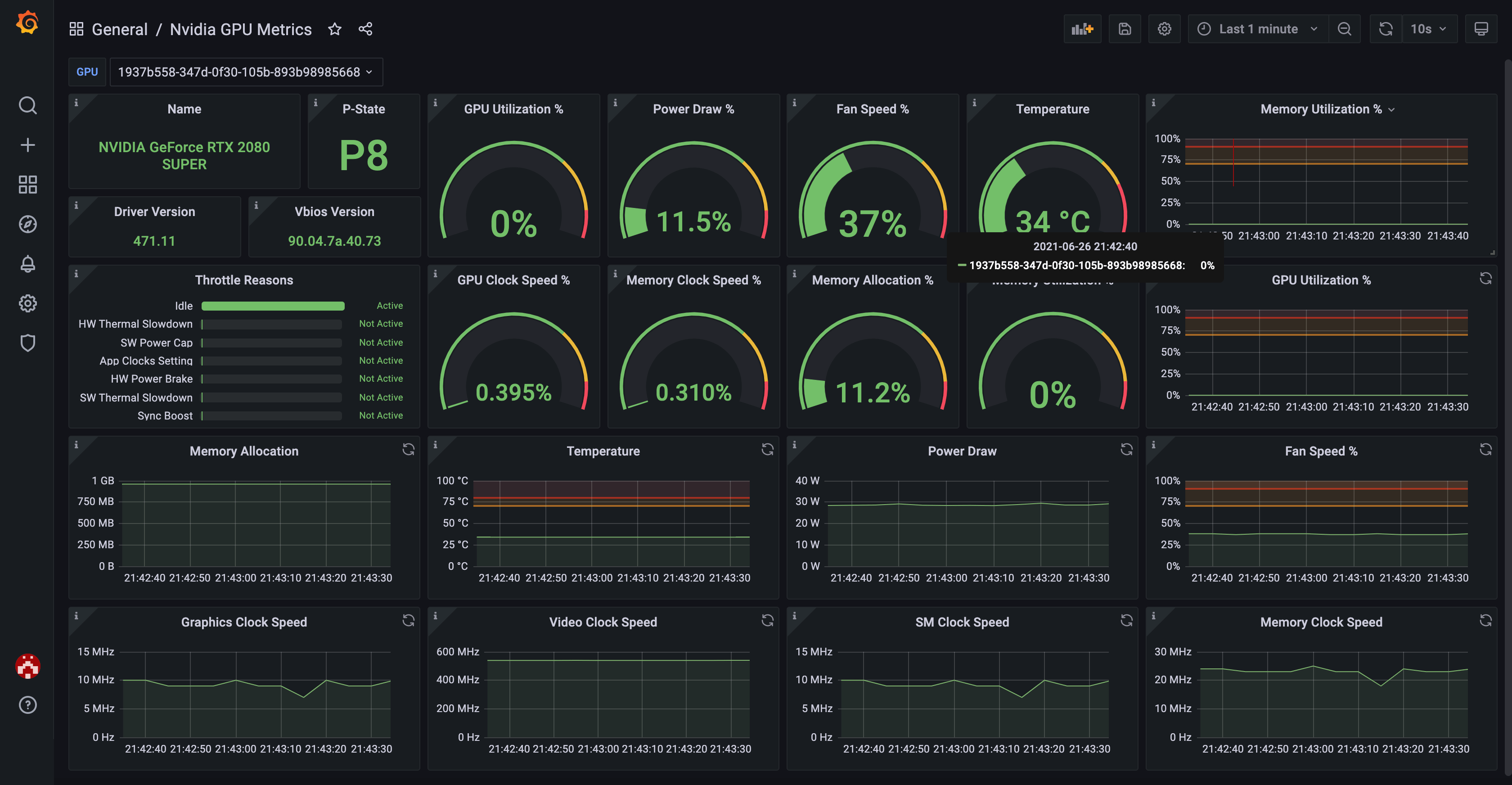
- GPU (optional but sweet): Intel iGPU? NVIDIA? AMD? This matters for transcoding multiple streams without CPU meltdown.
Best and Budget Low-Power Jellyfin Hardware Reviewed
Want the most efficient and affordable options for your Jellyfin server? See our in-depth review and testing of N100 mini PCs and alternatives—including side-by-side hardware comparisons, real power draw results, and which models deliver smooth 4K transcoding on a budget.
Network Planning (Don't Skip This)
How will people access Jellyfin? Locally only? Remote from work/travel?
- Local: Simple. Port 8096 on your server, done.
- Remote (Secure): Requires a reverse proxy (Nginx, Traefik). More complex but not hard.
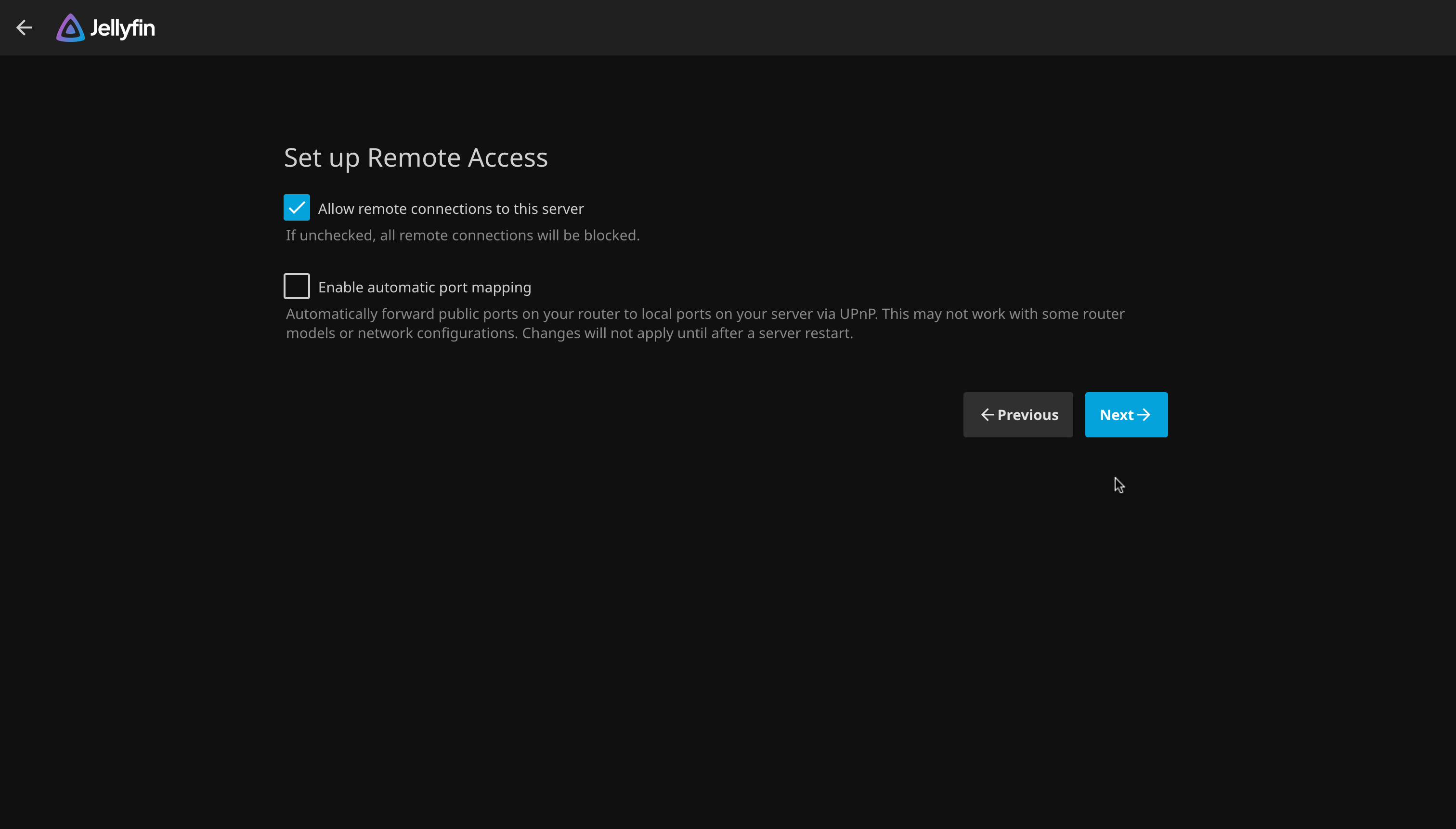
- Remote (Exposed): Possible with Jellyfin's built-in remote access, but less secure. Not recommended.
Plan this now. Helps during setup.
Installing Jellyfin: The Two Paths
You have options. Pick the one that doesn't make your eyes glaze over.
Docker (The Smart Choice)
Docker handles everything—dependencies, updates, backups, even clean removal. If you're running other services (Radarr, Sonarr, etc.), Docker is non-negotiable.
Create a docker-compose.yml file:
version: '3.8'

services:
  jellyfin:
    image: jellyfin/jellyfin:latest
    container_name: jellyfin
    restart: unless-stopped

    # Access Jellyfin on these ports
    ports:
      - "8096:8096"        # HTTP
      - "8920:8920"        # HTTPS

    # Map these folders so Jellyfin can see your media
    volumes:
      - ./jellyfin/config:/config           # Settings & metadata
      - ./jellyfin/cache:/cache             # Temporary files
      - /path/to/movies:/data/movies:ro     # Read-only movie folder
      - /path/to/tv:/data/tv:ro             # Read-only TV folder
      - /path/to/music:/data/music:ro       # Optional music

    # Tell Jellyfin how to reach itself from the internet
    environment:
      - JELLYFIN_PublishedServerUrl=http://your-domain.com

    # GPU support (uncomment for hardware transcoding)
    # devices:
    #   - /dev/dri:/dev/dri    # Intel/AMD GPU

    networks:
      - media-network

networks:
  media-network:
    driver: bridge
Start it:
docker-compose up -d
Access it: Open http://localhost:8096 and complete the setup wizard. Takes 2 minutes.
Native Installation (Linux/Windows/macOS)
Linux (Ubuntu/Debian):
# Add the Jellyfin repository
sudo apt install apt-transport-https
wget -O - https://repo.jellyfin.org/jellyfin_team.gpg.key | sudo apt-key add -
echo "deb [arch=$( dpkg --print-architecture )] https://repo.jellyfin.org/$( awk -F'=' '/^ID=/{ print $NF }' /etc/os-release ) $( awk -F'=' '/^VERSION_CODENAME=/{ print $NF }' /etc/os-release ) main" | sudo tee /etc/apt/sources.list.d/jellyfin.list

# Install
sudo apt update && sudo apt install jellyfin
Windows/macOS: Download the installer from jellyfin.org
Hardware Transcoding: Why It Matters (And How to Enable It)
Here's the deal: If someone watches a 4K movie on their phone while your wife streams 1080p on the TV and your kid watches 720p on a tablet, your CPU will melt without hardware transcoding.
Hardware transcoding offloads the heavy lifting to your GPU, letting you handle 5+ simultaneous streams without sweating. Here's how to set it up:
Intel Quick Sync (Integrated Graphics)
Nearly every Intel CPU from the last 10 years has Quick Sync. Free performance boost.
In Docker:
devices:
  - /dev/dri:/dev/dri
In Jellyfin:
- Dashboard → Playback → Transcoding
- Enable "Hardware acceleration"
- Select "Video Acceleration API (VAAPI)"
Test it: Play a 4K video. Check Dashboard → Sessions → Active encodings. You should see [hw] in the codec name.
NVIDIA GPU (The Power User Option)
If you have an NVIDIA GPU, you get the best transcoding performance available.
Install NVIDIA Container Toolkit:
distribution=$(. /etc/os-release;echo $ID$VERSION_ID)
curl -s -L https://nvidia.github.io/nvidia-docker/gpgkey | sudo apt-key add -
curl -s -L https://nvidia.github.io/nvidia-docker/$distribution/nvidia-docker.list | sudo tee /etc/apt/sources.list.d/nvidia-docker.list

sudo apt-get update && sudo apt-get install -y nvidia-container-toolkit
sudo systemctl restart docker
In Docker Compose:
services:
  jellyfin:
    # ... existing config
    runtime: nvidia
    environment:
      - NVIDIA_VISIBLE_DEVICES=all
In Jellyfin:
- Dashboard → Playback → Transcoding
- Enable "Hardware acceleration"
- Select "NVIDIA NVENC"
AMD Radeon GPU
AMD users get VAAPI support (same as Intel):
devices:
  - /dev/dri:/dev/dri
Then select VAAPI in Jellyfin settings.

Verify It's Working
- Play a video in a weird format (something your client won't support natively)
- Go to Dashboard → Sessions → Active encodings
- Look for
[hw]or your GPU name in the codec. If it's missing, something's wrong. - Monitor CPU usage. It should be minimal. If CPU spikes, troubleshoot your GPU setup.
Building Your Automated Arr Empire
This is where the magic happens. These four services, working in harmony, completely automate your media collection.
Complete Docker Compose Setup
version: '3.8'

services:
  # Jellyfin - Media Server
  jellyfin:
    image: jellyfin/jellyfin:latest
    container_name: jellyfin
    restart: unless-stopped
    ports:
      - "8096:8096"
    volumes:
      - ./jellyfin/config:/config
      - ./jellyfin/cache:/cache
      - /path/to/movies:/data/movies:ro
      - /path/to/tv:/data/tv:ro
    environment:
      - JELLYFIN_PublishedServerUrl=http://your-domain.com
    networks:
      - media-network

  # Radarr - Movie Automation
  radarr:
    image: lscr.io/linuxserver/radarr:latest
    container_name: radarr
    restart: unless-stopped
    ports:
      - "7878:7878"
    volumes:
      - ./radarr/config:/config
      - /path/to/movies:/movies
      - /path/to/downloads:/downloads
    environment:
      - PUID=1000
      - PGID=1000
      - TZ=UTC
    networks:
      - media-network
    depends_on:
      - prowlarr
      - qbittorrent

  # Sonarr - TV Series Automation
  sonarr:
    image: lscr.io/linuxserver/sonarr:latest
    container_name: sonarr
    restart: unless-stopped
    ports:
      - "8989:8989"
    volumes:
      - ./sonarr/config:/config
      - /path/to/tv:/tv
      - /path/to/downloads:/downloads
    environment:
      - PUID=1000
      - PGID=1000
      - TZ=UTC
    networks:
      - media-network
    depends_on:
      - prowlarr
      - qbittorrent

  # Prowlarr - Centralized Indexer Management
  prowlarr:
    image: lscr.io/linuxserver/prowlarr:latest
    container_name: prowlarr
    restart: unless-stopped
    ports:
      - "9696:9696"
    volumes:
      - ./prowlarr/config:/config
    environment:
      - PUID=1000
      - PGID=1000
      - TZ=UTC
    networks:
      - media-network

  # qBittorrent - Download Client
  qbittorrent:
    image: lscr.io/linuxserver/qbittorrent:latest
    container_name: qbittorrent
    restart: unless-stopped
    ports:
      - "8080:8080"
      - "6881:6881"
      - "6881:6881/udp"
    volumes:
      - ./qbittorrent/config:/config
      - /path/to/downloads:/downloads
    environment:
      - PUID=1000
      - PGID=1000
      - WEBUI_PORT=8080
    networks:
      - media-network

networks:
  media-network:
    driver: bridge
Start everything:
docker-compose up -d
Configure Prowlarr (Start Here)
Prowlarr is your foundation. Configure it first, everything else depends on it.
- Access:
http://localhost:9696 - Add indexers: Settings → Indexers. Add your torrent/Usenet sources
- Test connections: Each indexer gets a test—make sure they work
- Configure qBittorrent: Settings → Apps → Add Download Client
- Type: qBittorrent
- Host:
qbittorrent - Port:
8080 - Username/Password: (Default: admin/adminadmin)
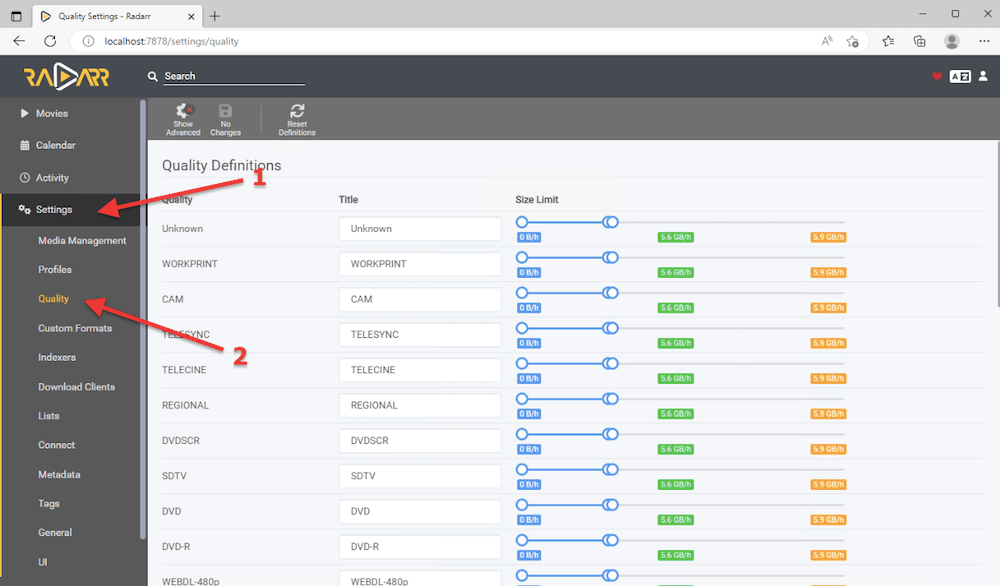
Configure Radarr (Movies)
- Access:
http://localhost:7878 - Add root folder: Settings → Media Management → Root Folders
- Add
/moviespointing to your movies directory
- Add
- Connect download client: Settings → Download Clients
- Add qBittorrent (Port: 8080)
- Test the connection
- Connect Prowlarr: Settings → Indexers → Add Prowlarr
- Host:
prowlarr - Port:
9696 - API Key: (From Prowlarr dashboard)
- Host:
- Quality settings: Settings → Quality → Configure your quality preferences
- Connect to Jellyfin: Settings → Connect → Add Jellyfin
- Host:
jellyfin:8096 - API Key: (From Jellyfin dashboard → Users → API)
- Host:
Configure Sonarr (TV Shows)
Same process as Radarr, but with these tweaks:
- Add root folder:
/tv - Download clients: Same qBittorrent connection
- Prowlarr: Same Prowlarr connection
- Release profiles: Settings → Profiles → Release Profiles
- Choose your preferred quality/format for TV (720p vs 1080p vs 4K)
- Connect to Jellyfin: Settings → Connect → Add Jellyfin (same as Radarr)
The Test Run
Everything set up? Time to test the workflow:
- Open Radarr → Search for a movie (try something recent)
- Click "Add" with "Start search after add" enabled
- Watch Radarr send the request to Prowlarr
- Prowlarr searches indexers
- qBittorrent receives the download
- File downloads and imports automatically
- Check Jellyfin—movie appears in your library within minutes
If this works, your system is golden. Adjust quality settings and automation rules to your preferences.
Migrating Your Existing Library: Making the Jump
If you're coming from Plex with years of movies and shows, you need a strategy. The good news? Your files don't need to change. Jellyfin reads the same file formats.
The Simple Path: Point Jellyfin at Existing Media
If your files are already organized (most likely scenario):
- In Jellyfin: Dashboard → Libraries → Add Library
- Choose the content type (Movies, TV Shows, etc.)
- Point it to your existing folder (
/movies,/tv, etc.) - Let Jellyfin scan and auto-match metadata
Jellyfin will:
- Identify movies/shows from filenames
- Fetch metadata from TheMovieDB, TheTVDB
- Download artwork, posters, backdrops
- Organize everything in a database
This takes time depending on library size. Go grab coffee.
The Advanced Path: Reorganizing for Perfection
Jellyfin prefers organized structures. If your media is a chaotic mess (we've all been there), this is your chance to fix it.
Ideal folder structure:
/movies
  /Oppenheimer (2023)
    Oppenheimer (2023).mkv
    Oppenheimer (2023).en.srt

/tv
  /Breaking Bad
    /Season 01
      Breaking Bad - S01E01 - Pilot.mkv
    /Season 02
      Breaking Bad - S02E01 - Seven Thirty-Seven.mkv
Tools to help:
- Filebot: Powerful, batch-renames based on database matching
- Tidy: Lightweight folder organization
- Radarr/Sonarr: Actually, once set up, these auto-organize future downloads perfectly

Plex Metadata: What You're Leaving Behind
Here's the real talk: Custom artwork, ratings, and notes you added in Plex won't automatically import. Jellyfin doesn't have a direct import tool. BUT:
- Automatic matching: Jellyfin will fetch the same official artwork (often better quality than Plex's)
- Manual recovery: Export your Plex list using
plex-export, manually add back anything irreplaceable - Fresh start: Most people find they don't miss it. Fresh metadata often looks better anyway
Library Settings: Fine-Tune Jellyfin
Once your library is loaded:
- Dashboard → Libraries → Edit your library
- Metadata fetchers: Choose which services to use (TheMovieDB for movies, TheTVDB for TV)
- Image fetchers: Pick artwork sources
- Automatic scanning: Enable so new files are detected immediately
- Library options: Configure format preferences, subtitle handling, etc.
Advanced Jellyfin: Making It Yours
Jellyfin comes with all the basics. Here's how to make it exceptional.
User Accounts & Family Management
Jellyfin supports multiple users with granular controls:
- Dashboard → Users → Add User
- Set username, password, display name
- Configure access:
- Which libraries can they see?
- Can they access admin features?
- Maximum concurrent streams?
- Parental controls (rating limits)?
- Max bitrate for remote access (bandwidth limiting)?
Great for family setups. Your kids see kids' content. Your wife doesn't see your anime collection. Everyone's happy.
Plugins: Extend the Functionality
Jellyfin has a growing plugin ecosystem:
- Trakt: Sync your watch history with Trakt.tv (ratings, lists, recommendations)
- LDAP: Integrate with Active Directory (corporate environments)
- MusicBrainz: Better music metadata (if you're self-hosting music)
- Playback Reporting: Analytics on what people watch
- Custom Intros: Add custom intro videos before movies
Install from Dashboard → Plugins → Repositories. Community plugins are incredibly powerful.
Custom Theming
Make Jellyfin visually yours:
- Dashboard → Display → Custom CSS
- Add custom CSS rules to rebrand the interface
- Upload custom logos in Dashboard → Display
Scheduled Tasks
Automate maintenance:
- Dashboard → Scheduled Tasks
- Library refresh: Daily automatic scan
- Maintenance: Clean old temporary files
- Image extraction: Generate more thumbnails for performance
These run in the background. Set and forget.
Secure Remote Access (Do This Right)
Want to watch your library from work? Coffee shop? Your parents' house? You need remote access. Here's how to do it safely.
Option 1: Reverse Proxy with Nginx (Recommended)
A reverse proxy sits between your server and the internet. Requests come in, the proxy forwards them to Jellyfin, and responses go back out. It's secure and your actual server stays hidden.
Basic Nginx config:
server {
    listen 443 ssl http2;
    server_name jellyfin.yourdomain.com;

    # SSL certificates (get free ones from Let's Encrypt)
    ssl_certificate /etc/letsencrypt/live/jellyfin.yourdomain.com/fullchain.pem;
    ssl_certificate_key /etc/letsencrypt/live/jellyfin.yourdomain.com/privkey.pem;

    location / {
        proxy_pass http://localhost:8096;
        proxy_http_version 1.1;

        # Keep connections alive
        proxy_set_header Upgrade $http_upgrade;
        proxy_set_header Connection "upgrade";

        # Pass client info to Jellyfin
        proxy_set_header Host $host;
        proxy_set_header X-Real-IP $remote_addr;
        proxy_set_header X-Forwarded-For $proxy_add_x_forwarded_for;
        proxy_set_header X-Forwarded-Proto $scheme;
    }
}
What this does:
- Encrypts all traffic with SSL/TLS
- Hides your actual IP/server
- Jellyfin thinks requests are coming from the proxy
Option 2: Traefik (If You're Already Using It)
Running Traefik for other services? Add Jellyfin easily:
services:
  jellyfin:
    # ... existing Jellyfin config
    labels:
      - "traefik.enable=true"
      - "traefik.http.routers.jellyfin.rule=Host(`jellyfin.yourdomain.com`)"
      - "traefik.http.routers.jellyfin.entrypoints=websecure"
      - "traefik.http.routers.jellyfin.tls.certresolver=letsencrypt"
      - "traefik.http.services.jellyfin.loadbalancer.server.port=8096"
Traefik handles SSL, proxying, everything. Just deploy.
Jellyfin's Built-In Remote Access (Not Recommended)
Jellyfin has a built-in remote access feature, but it routes traffic through Jellyfin's servers. This means:
- Jellyfin sees your traffic (privacy concern)
- Jellyfin becomes a single point of failure
- Less control over security
Use the reverse proxy approach. You'll sleep better.

Security Checklist
Before exposing Jellyfin to the internet:
- SSL certificate installed (HTTPS only, no HTTP)
- Jellyfin behind reverse proxy (never exposed directly)
- Strong passwords set for all user accounts
- Admin account changed from default
- Firewall configured (only necessary ports open)
- Fail2ban or rate limiting enabled (prevents brute force)
- Regular Jellyfin backups configured
- VPN alternative considered (more secure than remote access)
The Beautiful Automation Workflow
Once everything's set up, here's what actually happens:
Real-World Example: Movie Release Day
You: "Just heard about that new sci-fi film everyone's talking about."
You (again): Open Radarr. Search for it. Click "Add Movie." Enabled "Start search immediately."
What happens next (automatically):
- Radarr stores it. Movie added to your watchlist, marked as "searching."
- Radarr monitors. Every hour, it queries indexers through Prowlarr. "Has this released yet?"
- Release drops. The moment it becomes available, Radarr spots it.
- Download starts. Radarr sends job to qBittorrent. Download begins automatically.
- File organizes. Once downloaded, Radarr automatically:
- Renames:
Dune Part 2 (2024).mkv(perfect naming) - Moves:
/movies/Dune Part 2 (2024)/Dune Part 2 (2024).mkv - Fixes permissions
- Renames:
- Jellyfin is notified. Radarr tells Jellyfin "New movie arrived."
- Library updates. Jellyfin scans folder, matches metadata, downloads poster/artwork
- You watch. Movie appears in your Jellyfin library same day it released. You hit play.
Total work done by you: 30 seconds. Everything else? Automated.
TV Shows: Episode-by-Episode
Same magic but for series:
- Add show to Sonarr: "Breaking Bad"
- Mark as "monitored" (so you get new episodes)
- Every Monday (or whenever your show drops):
- Sonarr checks indexers
- New episode releases
- Download starts automatically
- File renames to
Breaking Bad - S01E01.mkv - Jellyfin adds it to your library
- You don't have to think about it. Just open Jellyfin. It's there.
Upgrade Management
Radarr/Sonarr can upgrade existing files:
- You download a movie in 720p
- Later, 1080p releases
- Set Radarr to "Upgrade until Quality X"
- Radarr automatically downloads 1080p, replaces 720p
- You never manually manage it
This is the power of the system. Passive library building.
Performance Tuning: Keeping Everything Smooth
A media stack is only as good as its performance. Here's how to keep things snappy:
Transcoding Optimization
Hardware acceleration first: This is non-negotiable. CPU transcoding tanks performance.
# In docker-compose.yml, verify you have GPU access
devices:
  - /dev/dri:/dev/dri  # For Intel/AMD
Concurrent stream limits:
- Monitor your CPU/GPU usage during playback
- Set Dashboard → Transcoding → Concurrent encoders to a safe limit
- 2-3 concurrent 1080p streams = CPU burden
- With GPU: 5+ concurrent streams no problem
Quality balancing:
- Don't force 4K transcoding (kills performance)
- Set bitrate limits for remote clients (save bandwidth)
- Allow direct play when formats match
Storage Optimization
SSD considerations:
- Put Jellyfin config + cache on SSD (faster metadata/scanning)
- Media can live on HDD (it's slower but fine for streaming)
- Cache should be 50-100GB minimum for fast metadata
Automatic cleanup:
- Enable automatic transcoding cleanup (deletes old temp files)
- Set library scanning intervals (avoid constant scanning)
- Archive old Radarr/Sonarr logs
Network Optimization
Local access:
- Use wired ethernet for the server (WiFi = inconsistent throughput)
- Wired clients perform better too, but WiFi clients are fine if bandwidth is available
Remote access:
- Limit concurrent remote streams (bandwidth limited)
- Set lower bitrate for remote users (adaptive)
- Monitor your upload speed (that's your actual bottleneck)
Database Maintenance
Jellyfin's metadata database grows over time:
- Dashboard → Scheduled Tasks → Library optimization (run weekly)
- Prune unused metadata cache monthly
- Backup your database regularly (critical!)
# Simple backup
docker cp jellyfin:/config/data ./jellyfin-backup-$(date +%Y%m%d)
Troubleshooting: When Things Break (And Fixes)
Jellyfin Not Showing New Media
Problem: You added movies but Jellyfin doesn't see them.
Solutions:
- Manual scan: Dashboard → Libraries → Click the three dots → Scan Library
- Check file paths: Verify paths in docker-compose.yml match actual folders
- Check permissions: The Jellyfin container needs read access. Fix with:
chmod -R 755 /path/to/media - Review logs:
docker logs jellyfinfor specific errors - Restart Jellyfin: Sometimes a restart fixes everything
docker-compose restart jellyfin
Transcoding Failures (Pixelated/Stuttering Video)
Problem: Playback stutters or looks terrible when transcoding.
Solutions:
- Verify hardware acceleration is active:
- Dashboard → Sessions → Play a video
- Check Active Encodings tab
- Should show
[hw]or GPU name (not justh264)
- Check GPU drivers:
# For Intel lspci | grep -i graphics # For NVIDIA nvidia-smi # Should show GPU memory usage - Reduce concurrent streams: Transcoding too many at once?
- Lower bitrate limits: Dashboard → Playback → Bitrate caps
- Test with software transcoding: Sometimes the GPU driver is broken
Arr Apps Not Talking to Each Other
Problem: Radarr can't reach qBittorrent or Prowlarr.
Solutions:
-
Check Docker network:
docker network ls
docker network inspect media-network
All containers should be on same network.
-
Verify API keys: Settings → API Key in each app
- Prowlarr API Key: Settings → General → Security
- Jellyfin API Key: Dashboard → Users → Edit user → API
-
Test connections:
- Radarr: Settings → Indexers → Test Prowlarr
- Radarr: Settings → Download Clients → Test qBittorrent
- Should see green checkmarks
-
Review logs:
docker logs radarr
docker logs sonarr
docker logs prowlarr
Error messages tell you exactly what's wrong.
-
Restart everything:
docker-compose restartSometimes services initialize in wrong order.
Library Not Updating After New Downloads
Problem: Radarr downloads file but Jellyfin doesn't see it.
Solutions:
-
Check file was moved correctly:
ls -la /path/to/movies/File should be there with correct permissions.
-
Verify Radarr notification:
- Radarr: Settings → Connect → Check Jellyfin connection
- Test the connection
-
Manual Jellyfin scan:
- Dashboard → Libraries → Click three dots → Scan
-
Check Jellyfin logs:
docker logs jellyfin | tail -50 -
Restart Jellyfin:
docker-compose restart jellyfin
Remote Access Not Working
Problem: Can't access Jellyfin from outside your home network.
Solutions:
-
Test local access first:
- Confirm it works on local network
- If not, problem isn't remote access
-
Check firewall:
sudo ufw status
sudo ufw allow 8096  # If using ufw
Port 8096 must be accessible.
-
Port forwarding:
- Router settings → Port forwarding
- Forward external port 443 → server:8096
- Use HTTPS (Port 443) not HTTP
-
Reverse proxy working?
curl http://localhost:8096 # Local test curl https://jellyfin.yourdomain.com # Remote test -
SSL certificate valid?
openssl s_client -connect jellyfin.yourdomain.com:443Check expiration date.
Generic Debugging Process
When something breaks:
- Check the logs:
docker logs [container-name] - Verify connectivity: Ping between containers
- Test manually: Try operations without automation
- Restart services: Often clears temporary issues
- Check recent changes: What did you change last?
- Community search: Someone's had your problem before
Pro tip: Keep a simple test file to verify each component works:
- Test Jellyfin playback locally
- Test Radarr search manually
- Test qBittorrent with a small torrent
- Test Prowlarr indexer connections
If these individual pieces work, the problem is integration.
Jellyfin vs Plex vs Other Servers: 2026 Reality Check
| Feature | Jellyfin | Plex | Emby | Kaleidescape |
|---|---|---|---|---|
| Cost | Free ($0) | Free + $6/mo | One-time $25 | $4,000+ |
| Open Source | ✅ Yes | ❌ No | ❌ No | ❌ No |
| Cloud Required | ❌ No | ⚠️ Yes | ❌ No | ❌ No |
| Hardware Transcode | ✅ Free | 🔒 Plex Pass | ✅ Yes | ✅ Yes |
| Ad-Supported Content | ❌ None | ⚠️ Yes | ❌ None | ❌ None |
| Plugin Ecosystem | ✅ Extensive | ⚠️ Limited | ⚠️ Limited | ❌ None |
| Customization | ✅ Unlimited | ⚠️ Basic | ⚠️ Basic | ❌ None |
| Mobile Apps | ✅ Good | ✅ Excellent | ✅ Good | ❌ Limited |
| Remote Access | ✅ Secure | ⚠️ Cloud-dependent | ✅ Secure | ❌ Limited |
| Community | ✅ Active | ⚠️ Corporate | ⚠️ Smaller | ❌ None |
Real talk:
- Choose Jellyfin if: You value privacy, want to avoid subscriptions, like customization, enjoy tinkering
- Choose Plex if: You need the best mobile app, want less configuration, accept cloud dependencies
- Choose Emby if: You like Plex's approach but want to own your install (pricey)
- Choose Kaleidescape if: You have unlimited budget and want the "premium" experience
For 99% of homelabbers, Jellyfin is the obvious choice in 2026.
FAQ: Questions People Actually Ask
"Isn't this illegal?"
Short answer: Using Radarr/Sonarr itself is legal. What you download is your responsibility. I can't advise on that. Many people use legitimate sources (legal streaming captures, purchased files, personal backups). Many don't. Do your own research on local laws.
"How much disk space do I need?"
Depends on your habits:
- Small library (100 movies): 500 GB
- Medium library (500 movies + 10 shows): 2-4 TB
- Large library (1000+ movies + extensive shows): 8-20 TB
- 4K enthusiast: Multiply by 3-4x
Pro tip: Radarr/Sonarr can auto-upgrade to 4K and delete the 1080p version. Budget accordingly.
"Can I share my Jellyfin with friends?"
Technically yes. But:
- Each friend needs a user account
- They use bandwidth (kills performance)
- Legal/licensing questions if sharing content
- ISP terms of service might prohibit it
Keep it within immediate family. It's more reliable that way.
"What if Jellyfin gets hacked?"
Since it runs locally, it's way more secure than Plex. Your data doesn't leave your house unless you expose it to the internet (reverse proxy minimizes this risk). Keep Jellyfin updated and use a reverse proxy instead of exposing directly.
"How much does this cost to run?"
After initial setup:
- Hardware: Already have a server? Free. New mini-PC? $200-500
- Electricity: ~$10-50/month depending on server
- Subscriptions: $0. Really. Zero.
- Indexers: Some are free, premium indexers are $5-20/month (optional)
Compare that to 4 streaming services at $15/month each. You break even in a month.
"How fast can I set this up?"
With experience: 2-3 hours. First time: Plan for a weekend. Time breakdown:
- Docker setup: 30 min
- Jellyfin config: 45 min
- Arr suite setup: 1-2 hours
- Testing/optimization: 1 hour
"What if my family doesn't understand technology?"
Jellyfin interfaces aren't as polished as Netflix, but they're not hard. Family members just need to:
- Open Jellyfin on their device
- Search for a movie/show
- Hit play
Most people figure it out in 5 minutes. The magic is that everything else happens automatically.
"Can I run this on a Raspberry Pi?"
Pi 4/5: Yes, but struggling. Small libraries only. No 4K transcoding. Pi + NAS: Better approach. Pi for Jellyfin/Arrs, external NAS for storage. Mini-PC (N100): Better option. ~$100-200, way more powerful.
Jellyfin loves powerful hardware. Don't cheap out here.
"What about subtitles?"
Jellyfin auto-fetches subtitles for most movies (TheSubDB, OpenSubtitles). Radarr/Sonarr download subs alongside media. Configure language preferences in library settings.
"How do I backup my setup?"
# Backup entire Jellyfin config (do this regularly!)
docker cp jellyfin:/config ./jellyfin-backup-$(date +%Y%m%d)

# Or add to cron for weekly backups
0 2 * * 0 docker cp jellyfin:/config /backups/jellyfin-$(date +\%Y\%m\%d)
Backup before updates. Your database is precious.
The Bottom Line: Why This Matters
You're not just building a media server. You're stepping out of the subscription rat race.
Netflix costs $15/month. Hulu costs $10. Disney+ is $8. AppleTV is $10. That's $43 for four services, and you still miss content. You still see ads (depending on tier). You still have their algorithm pushed in your face.
Jellyfin + Arrs costs: $0/month forever.
Yes, setup takes a weekend. Yes, it requires some technical knowledge. But once it's running? You have more freedom, more privacy, and more content than any subscription service. And you own it.
In 2026, Jellyfin has matured into something genuinely excellent. The days of it being "a Plex alternative" are over. It's just a better solution for people who value freedom and control.
The question isn't anymore whether Jellyfin can replace Plex. It's whether you're willing to invest a weekend to take back control of your media.

Next Steps
Ready to build?
- Check your hardware: Do you have (or can you get) a machine to run this?
- Plan your media: Where are your files? How much space do you need?
- Set a weekend: Block out Friday evening through Sunday. That's all you need.
- Start small: Get Jellyfin working first, then add Radarr/Sonarr later.
- Join the community: r/jellyfin, r/radarr, Jellyfin forums—people are helpful and active.
The self-hosting journey is addictive. Start with media. Before you know it, you'll be running email servers, note systems, and everything else. Welcome to the hobbyist hideaway.
Resources:
- Official Jellyfin Documentation
- Radarr Wiki
- Sonarr Wiki
- r/jellyfin Community
- r/radarr Community
- Linuxserver.io Docker Images (official Arr containers)